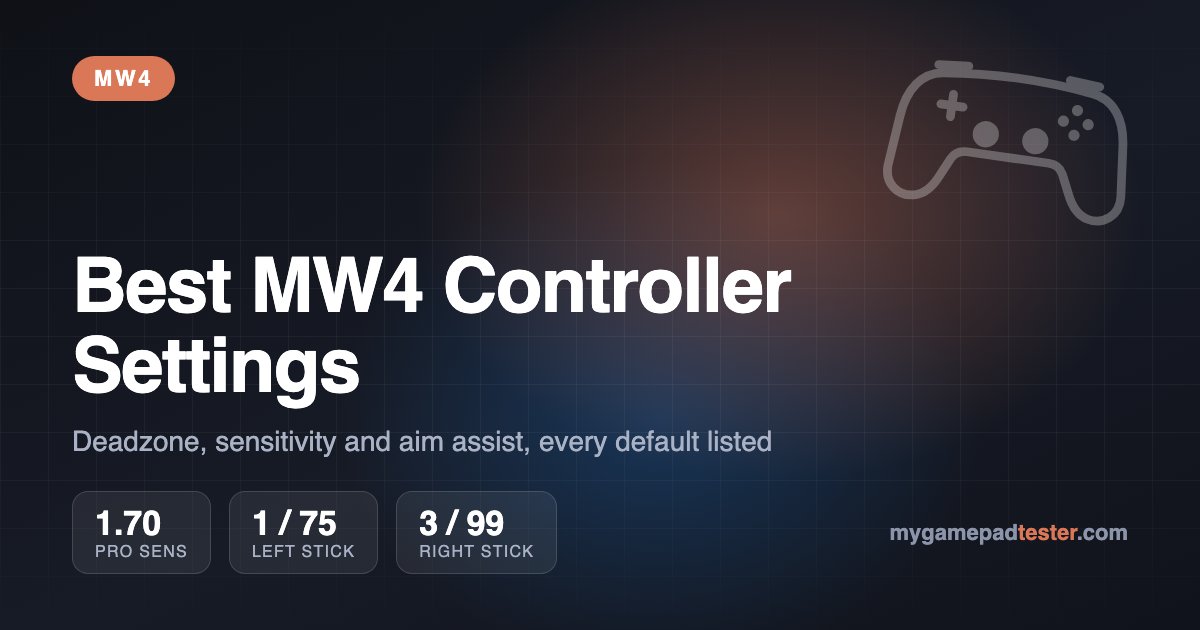
TL;DR: The best MW4 controller settings: stick sensitivity 1.65–1.75, Left Stick Min one point above your drift reading (usually 1–5), Left Stick Max 70–75, Right Stick 3 / 99, triggers 5, Dynamic response curve, ADS transition Instant, Target Aim Assist On, vibration and Trigger Effect Off. MW4 has no aim assist type to choose, so ignore guides that tell you to pick "Black Ops".
Call of Duty: Modern Warfare 4 ships with controller defaults built for comfort, not gunfights. Sensitivity starts at 1.20, both stick deadzones sit at 15 and the triggers need 13% travel before they register, per the default values read off the PC menu by allthings.how. Dropping the deadzones, raising sensitivity and switching ADS transition to Instant are the three changes that make the biggest difference. The rest of the menu is mostly preference.
MW4 launched on October 23 for PS5, Xbox Series X|S, PC and Switch 2, per GameSpot. This guide covers every controller, aiming, movement and combat setting with its default value, what to change it to and why. It also lists what the CDL pros actually run and what differs on each platform. Data as of November 2026, Season 1. Once your sticks are set, pick a class from our MW4 meta tier list and loadouts.
Best MW4 controller settings at a glance
Everything below sits under Settings → Controller, which is split into four tabs: Controller, Aiming, Movement and Combat. Defaults are from the PC (Steam) build; console menus use the same names with PlayStation or Xbox button labels.
| Setting | Tab | Default | Recommended | Why |
|---|---|---|---|---|
| Button Layout | Controller | Default | Tactical (Default if you have paddles) | Crouch/slide moves to R3, so your thumb never leaves the aim stick |
| Horizontal / Vertical Stick Sensitivity | Controller | 1.20 | 1.65–1.75 | 1.20 is too slow to turn on a flanker |
| Controller Vibration | Controller | On | Off | Rumble shakes your thumbs mid-fight |
| Trigger Effect (PS5) | Controller | Not confirmed | Off | Adaptive trigger resistance slows your shot |
| Left Stick Min | Controller | 15 | Drift reading + 1 (usually 1–5) | 15 hides small movements |
| Left Stick Max | Controller | 99 | 70–75 | Full sprint speed with less stick travel |
| Right Stick Min | Controller | 15 | Drift reading + 1 (usually 3) | Faster micro-adjustments |
| Right Stick Max | Controller | 99 | 99 | Keep the full aim range |
| Left / Right Trigger | Controller | 13 | 5 | ADS and fire register with a shorter pull |
| ADS Sensitivity Multiplier | Aiming | 1.00 | 0.90–1.00 | Slightly slower ADS helps mid-range tracking |
| ADS Sensitivity Transition Timing | Aiming | Gradual | Instant | ADS speed applies the moment you aim |
| Aim Response Curve Type | Aiming | Standard | Dynamic | Fast start, fine control near the target |
| Target Aim Assist | Aiming | On | On | Turning it off is a pure handicap |
| Motion Sensor Function | Aiming | Off | Off (unless you play gyro) | Accidental tilt moves your aim |
| Sprint Assist | Movement | Off | Off | Adds a delay and slows aim after a sprint |
| Slide Maintains Sprint | Movement | Off | On | Keeps momentum when a slide ends |
| Corner Slice | Movement | On | Off | Weapon tilt near walls is distracting when peeking |
| Aim Down Sight Behavior | Aiming | Hold | Hold | Toggle ADS is slower to drop in and out |
Skip the Simplified Controls and Low Motor Strain presets. ConquestCapped notes they override any setting you change by hand.
MW4 deadzone settings: how to find your number
The deadzone is how far a stick has to move before the game counts it. MW4 uses a 0–99 scale, and the default 15 is safe for a worn pad but wastes a lot of stick travel on a healthy one. There's no single correct value, because every controller rests at a slightly different point. You find yours with the built-in test:
- Go to Settings → Controller, stay on the Controller tab and expand Deadzone Inputs with the + / Show More button.
- Turn on Test Stick Deadzone. A number appears under each stick graphic while you hold nothing.
- Set Left Stick Min and Right Stick Min one point above that number. If the right stick shows 2, use 3.
- Leave the sticks alone for a few seconds and watch the view. If it creeps, add one more point.
If either stick needs more than 5, the stick is worn. Run it through our stick drift test before you blame your aim: a rising axis value at rest means drift that no setting will fully hide.
| Deadzone input | Default | Recommended | What it does |
|---|---|---|---|
| Left Stick Min | 15 | 1–5 | Movement stick travel ignored around the center |
| Left Stick Max | 99 | 70–75 | Where the game counts full tilt; lower = full speed sooner |
| Right Stick Min | 15 | 1–5 | Aim stick travel ignored around the center |
| Right Stick Max | 99 | 99 | Keep the whole range for fine aim |
| Left Trigger | 13 | 5 | How far L2/LT must go before ADS starts |
| Right Trigger | 13 | 5 | How far R2/RT must go before you fire |
The left-stick max is the setting most players miss. At 75, you reach full movement speed at three-quarters of the stick's travel, which makes strafing in a gunfight snappier. That's why 21 of 38 tracked pros run their left stick at 1 / 75, per The CoD Locker. Keep the right max at 99, or the aim jumps to full speed before your thumb reaches the edge. Our inner vs outer deadzone explainer shows the difference on a graph, and the Call of Duty deadzone guide covers the same method in earlier CoD games.
Best MW4 sensitivity and ADS multipliers
Start at 1.65 and adjust in 0.05 steps. The sources that played the game agree on the range: GameSpot suggests 1.50–1.85, IGN 1.5–1.9 per modernwarfare.wiki, and games.gg 1.65. The most common pro value is 1.70. If you overshoot strafing targets, drop 0.05. If enemies outturn you in close range, raise it. Keep horizontal and vertical equal unless you have a clear reason not to.
| Sensitivity setting | Default | Recommended |
|---|---|---|
| Horizontal Stick Sensitivity | 1.20 | 1.65–1.75 |
| Vertical Stick Sensitivity | 1.20 | Same as horizontal |
| ADS Sensitivity Multiplier | 1.00 | 0.90–1.00 |
| ADS Sens. Multiplier (Focus) | 1.00 | 0.90 |
| 3rd Person Sensitivity Multiplier | 1.00 | 1.00 |
| Ground Vehicles Sensitivity Multiplier | 1.00 | 1.00 |
| Air Vehicles Sensitivity Multiplier | 1.00 | 1.00 |
| Tablet Sensitivity Multiplier | 1.00 | 1.00 |
| Custom Sensitivity Per Zoom | Off | Off, or On for snipers (see below) |
Set ADS Sensitivity Transition Timing to Instant. The default, Gradual, ramps the ADS multiplier in as the sight comes up, so slow-ADS guns like LMGs and snipers feel heavy for the first few frames. Instant applies it the moment you press aim. The third option, After Zoom, only applies it once you're fully scoped.
If you snipe or run marksman rifles, turn Custom Sensitivity Per Zoom on. IGN's ranges, quoted by modernwarfare.wiki, are 0.80–0.90 for low zoom, 2x–3x and 4x–5x, and 1.00 from 6x up. Everyone else can leave it off and use one ADS multiplier.
Aim response curve: Standard vs Linear vs Dynamic
The curve decides how stick tilt turns into turning speed. It sits on the Aiming Advanced Settings page and defaults to Standard. Pick Dynamic once you've played a few matches. It moves the view quickly on small inputs, so you snap onto a target faster, then slows down as you push further out. That's the opposite of Standard.
| Curve | In-game description | Who should use it |
|---|---|---|
| Standard (default) | "Slow starting movement that speeds up over the aiming rate." Power curve. | New controller players; a soft, forgiving center |
| Linear | "The aiming stick maps directly to the aiming rate." | Players with very steady thumbs who want 1:1 control |
| Dynamic | "Fast starting movement that slows down to the aiming rate." Reverse S-curve. | Most players once settled in; the pick of games.gg, IGN and ConquestCapped |
Descriptions are quoted from the menu by allthings.how. MW4 also adds a Curve Slope Scale. ConquestCapped recommends 0.8–1.0: a value below 1.0 pulls Dynamic closer to Linear for steadier small movements. Change the curve or the slope scale, not both on the same day. Otherwise you won't know which one helped.
MW4 aim assist settings: is there an aim assist type?
No. MW4 has no aim assist type selector. The Aiming tab has two switches: Target Aim Assist and ADS Aim Assist, both On by default. That's how allthings.how and ConquestCapped read the launch menu, and GameSpot's beta list shows the same. Guides telling you to pick "Black Ops" or "Precision" describe older CoD menus or were written before launch. Keep Target Aim Assist on. ConquestCapped says ADS Aim Assist only affects the campaign, so it doesn't matter in multiplayer.
On strength, Infinity Ward's numbers are the only official ones. In The Ward Room episode covered by Dot Esports, the studio said aim assist was reduced slightly for the Open Beta and kept near that level for launch. The target balance:
| Range | Who has the edge (Infinity Ward) |
|---|---|
| Under 5 m | Controller: aim assist helps the most here |
| 5–15 m | Even, roughly 50/50 between equally skilled players |
| Long range | Mouse and keyboard, a slight edge |
As in earlier Call of Duty games, the rotational part of aim assist works while you're moving, so a low right-stick deadzone and enough sensitivity to keep up with a strafe matter more than any toggle. The most common pro field of view is 100 (see below).
MW4 pro settings: what Call of Duty League players use
Most CDL pros carried their Black Ops 7 numbers straight into MW4. The CoD Locker reads settings off the pros' own menus. So far it has MW4 numbers for 17 of the 45 players on 2027 rosters, and the rest still show last season's values. The CDL 2027 season starts December 4, so expect more data then.
| Setting | Most common pro value | Share of pros |
|---|---|---|
| Sensitivity | 1.70 | 21 of 39 |
| Field of view | 100 | 15 of 39 |
| Left stick (min / max) | 1 / 75 | 21 of 38 |
| Right stick (min / max) | 3 / 99 | 27 of 38 |
Pros who changed something for MW4:
| Player | Setting | Black Ops 7 | MW4 |
|---|---|---|---|
| 04 | Left stick | 0 / 75 | 1 / 75 |
| 04 | Right stick | 3 / 99 | 1 / 99 |
| aBeZy | Sensitivity | 1.65 | 1.70 |
| Abuzah | Sensitivity | 1.65 | 1.70 |
| Abuzah | Field of view | 100 | 98 |
| Dashy | Sensitivity | 1.65 | 1.70 |
| Ghosty | Sensitivity | 1.75 | 1.70 |
| Huke | Field of view | 99 | 95 |
| Huke | Left stick | 1 / 75 | 1 / 60 |
| Kips | Sensitivity | 1.85 | 1.90 |
| Kips | Left stick | 2 / 70 | 2 / 75 |
| KiSMET | Sensitivity | 1.75 | 1.65 / 1.75 |
| Scrap | Left stick | 1 / 75 | 3 / 80 |
| Simp | Sensitivity | 1.70 | 1.75 |
Don't copy a pro's deadzone of 0 or 1 straight onto a stock pad. Those numbers only work on a controller with almost no drift. Our best pro controllers guide covers the pads with back paddles that let you keep the Default button layout. On a two-year-old DualSense, start from your own Test Stick Deadzone number instead. Pro sensitivity does carry over well, because it doesn't depend on stick wear.
MW4 movement and combat settings worth changing
These don't affect aim directly, but several add small delays that cost you fights. The biggest two are Sprint Assist and Tap to Slide. ConquestCapped says both add a short delay before the game reacts, and Sprint Assist also slows your aim after a sprint. Keep in mind that Tactical Sprint is no longer base movement in MW4: Infinity Ward moved it onto the Bloodrush perk, per Dot Esports.
| Setting | Group | Default | Recommended |
|---|---|---|---|
| Sprint Assist | Intelligent Movement | Off | Off |
| Mantle Assist | Intelligent Movement | Off | Off |
| Corner Slice | Intelligent Movement | On | Off |
| Slide/Dive Behavior | Movement Behaviors | Tap to Slide | Slide Only or Hybrid |
| Automatic Airborne Mantle | Movement Behaviors | On | Off or Partial |
| Slide Maintains Sprint | Movement Behaviors | Off | On |
| Sprint/Tactical Sprint Behavior | Movement Advanced | Toggle | Toggle |
| Tactical Sprint Activation | Movement Advanced | Single Tap Run | Single Tap Run |
| Auto Door Peek | Movement Advanced | Off | Off |
| Armor Plate Behavior | Combat | Apply All | Apply All |
| C4 Detonation Activation | Combat | One by One | One by One |
| Interact/Reload Behavior | Combat | Not confirmed | Prioritize Reload (Prioritize Interact in DMZ) |
| Depleted Ammo Weapon Switch | Combat | Not confirmed | On |
Defaults are from allthings.how's menu read. Automatic Airborne Mantle is the one to test yourself: on, it climbs ledges you jump at, which sometimes pulls you onto a box mid-fight.
MW4 controller settings on PS5, Xbox, PC and Switch 2
The menu is the same on every platform. These are the few lines that differ:
- PS5: turn Trigger Effect off. The DualSense adaptive triggers add resistance to the R2 pull, and with a trigger deadzone of 5 you want the shot to break as early as possible. If your triggers feel uneven afterwards, check them with our controller trigger test. For 120 Hz, ConquestCapped says the performance mode needs VRR and 120Hz Output set to Automatic in the PS5 system settings.
- Xbox Series X|S: no extra controller options. The Elite Series 2 paddles pair well with the Default layout plus jump and slide on the back.
- PC: aim assist is tied to the controller, not the platform. Plug in a pad and you get the same Target Aim Assist as console, even in cross-play against mouse players. If you route the pad through Steam Input, set the deadzone in MW4's menu only, not in Steam's controller layout as well, so you know which number is doing the work. Our Steam Input lag test covers whether to use it at all.
- Switch 2: MW4 has Motion Sensor Function settings for Weapon Control and Camera Control, both Off by default with Hip and ADS sensitivity at 1.00. GameSpot notes you can also use the Joy-Con as a mouse and remap buttons. Joy-Con mouse sensitivity is a system setting, under System Settings → Controllers & Accessories, per Nintendo support. If you want to try motion aim, our gyro aiming explainer covers how to tune it.
Playing battle royale instead? Warzone uses the same menu but rewards a few different choices after the Season 1 movement changes: Custom Sensitivity Per Zoom on, Tactical Sprint Assist, and parachute and armor plate options. Our Warzone Season 1 controller settings guide lists them all.