โŒจ๏ธGaming Keyboard Diagnostic

Test for dead keys, ghosting, and mechanical switch health. Click anywhere to begin polling.

Esc
F1
F2
F3
F4
F5
F6
F7
F8
F9
F10
F11
F12
Prt
Scr
Pau
~
1
2
3
4
5
6
7
8
9
0
Minus
Equal
Backspace
Tab
Q
W
E
R
T
Y
U
I
O
P
[
]
Backslash
Caps
A
S
D
F
G
H
J
K
L
;
'
Enter
Shift
Z
X
C
V
B
N
M
,
.
/
Shift
Ctrl
Win
Alt
Space
Alt
Win
Fn
Ctrl
Ins
Home
PgU
Del
End
PgD
โ†‘
โ†
โ†“
โ†’
Num
/
*
-
7
8
9
4
5
6
1
2
3
0
.
+
Ent
Live APM
0
ACTIONS / MIN
Max NKRO
0
SIMULTANEOUS
Keystroke Intensity
0
CLICKS PER SECOND
Keyboard Model
FOR GLOBAL STATS
Awaiting hardware events...

Gaming Keyboard Test: Check Every Key Instantly in Your Browser

What Is a Gaming Keyboard Test?

A gaming keyboard test is a browser-based tool that shows you in real time whether every key on your keyboard is registering correctly. You press a key, and a virtual keyboard on screen highlights it immediately.

The tool identifies dead keys (switches that no longer fire) and stuck keys (one that fires without being pressed). This allows you to separate hardware failure from software configuration issues without downloading any apps.

Knowing exactly which keys work takes seconds. Use our fast browser-based Keyboard Test and get instant confirmation for every switch on your board.

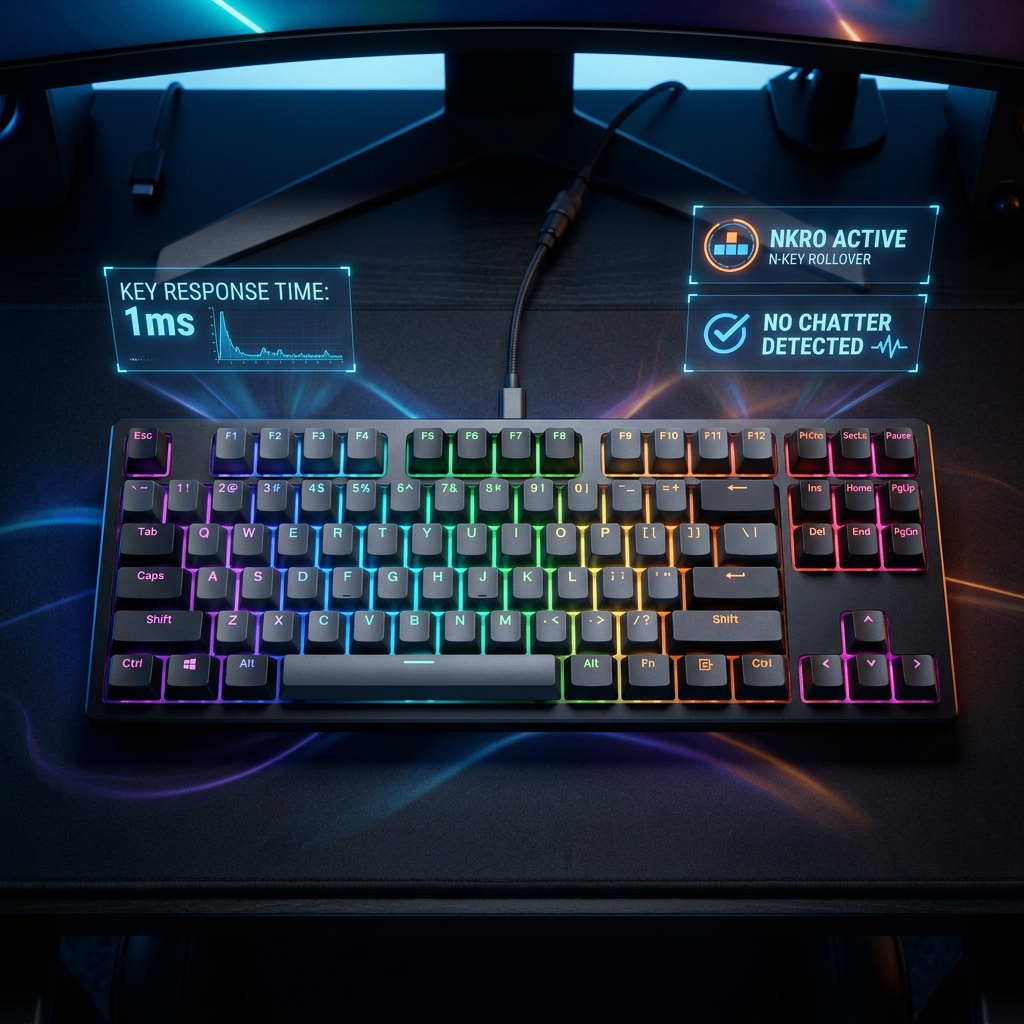
High-end mechanical keyboard with glowing RGB and diagnostic UI

How to Use the Keyboard Test: Step-by-Step

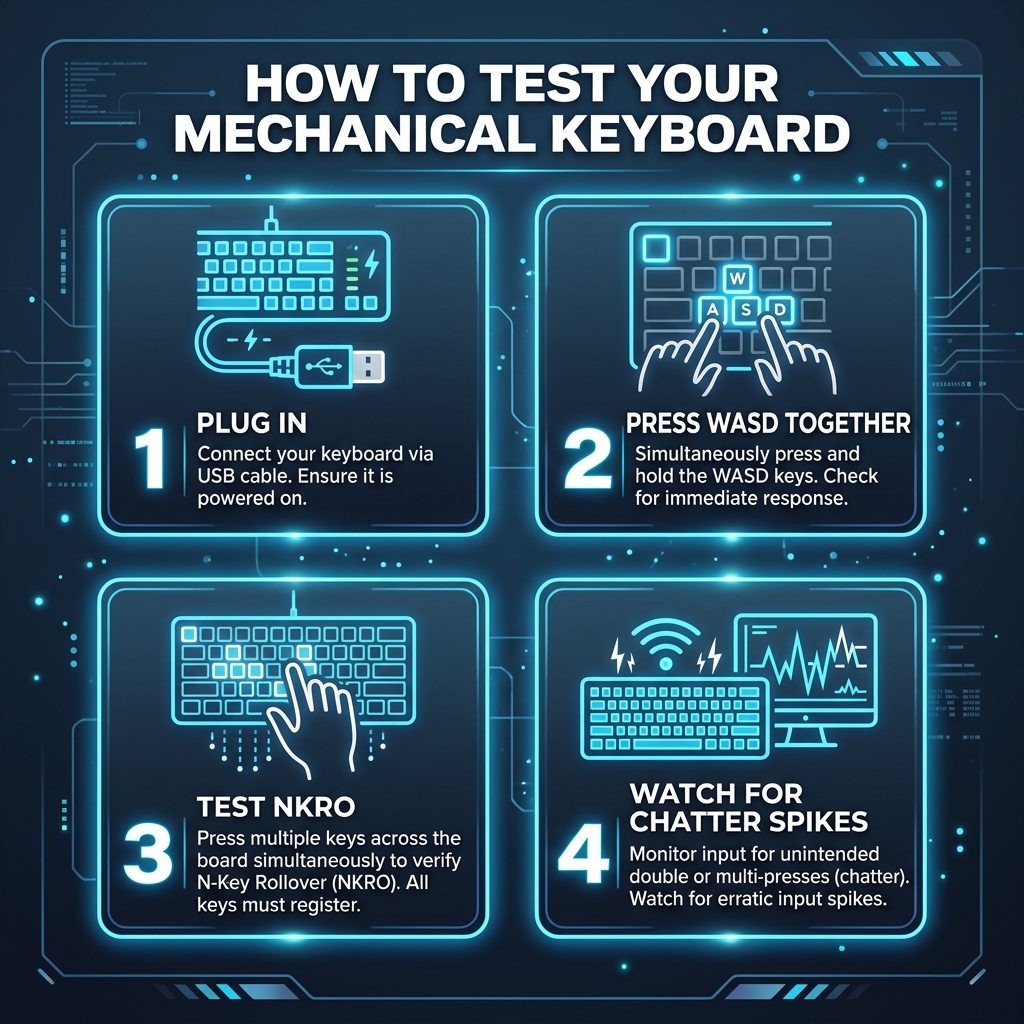
Testing your keyboard at mygamepadtester.com is simple. Follow these six steps to diagnose dead keys, stuck switches, and ghosting issues.

1

Open & Focus

Open the tool and click anywhere on the page to focus. The browser only captures inputs when the tab is active.

2

Press Any Key

Observe the virtual layout. A healthy key will turn Dark Green immediately upon being pressed.

3

Check F-Keys

Function keys (F1-F12) often require the Fn modifier. Test them both ways to ensure the signal is sending.

4

Watch for Yellow

A yellow highlight indicates a **stuck key** that is sending repeating signals without being physically pressed.

Step-by-step mechanical keyboard testing infographic

Why Ghosting Is a Real Problem for Gamers

Matrix Limits

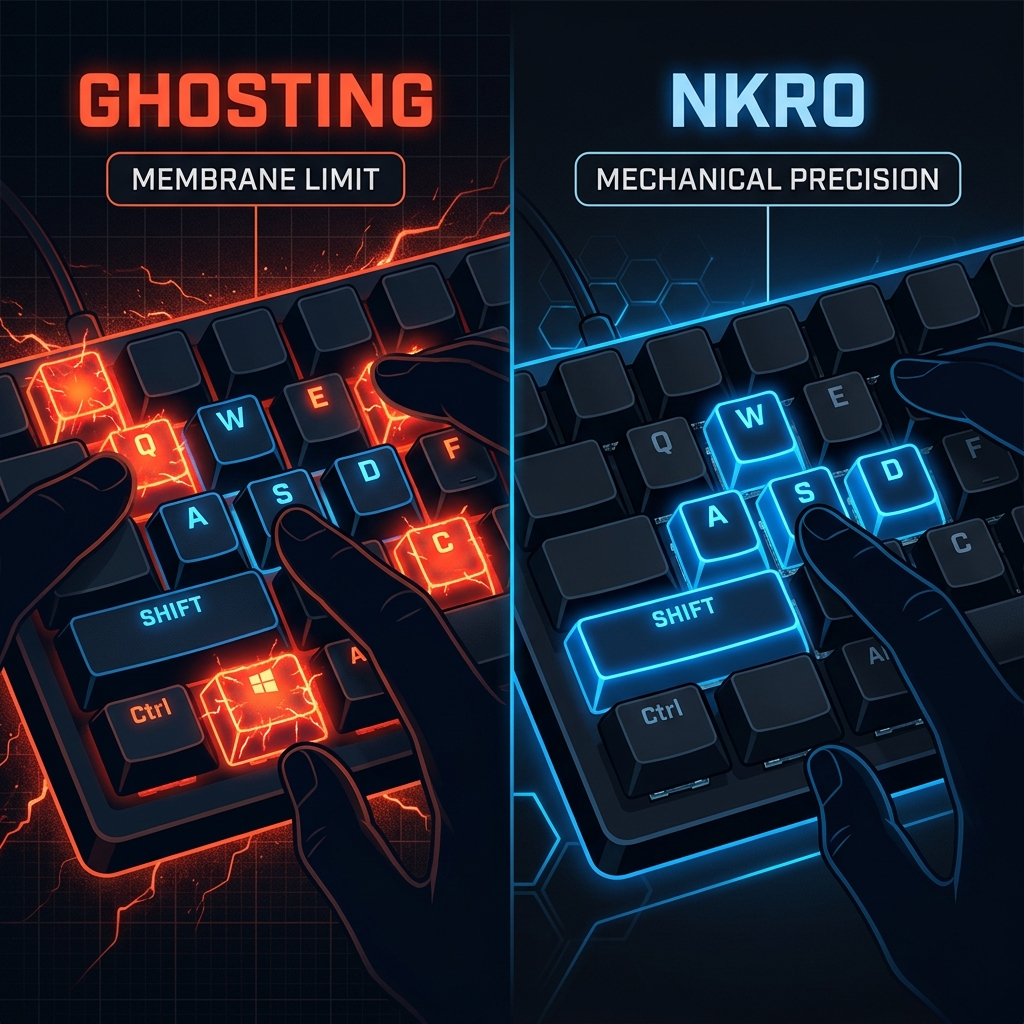
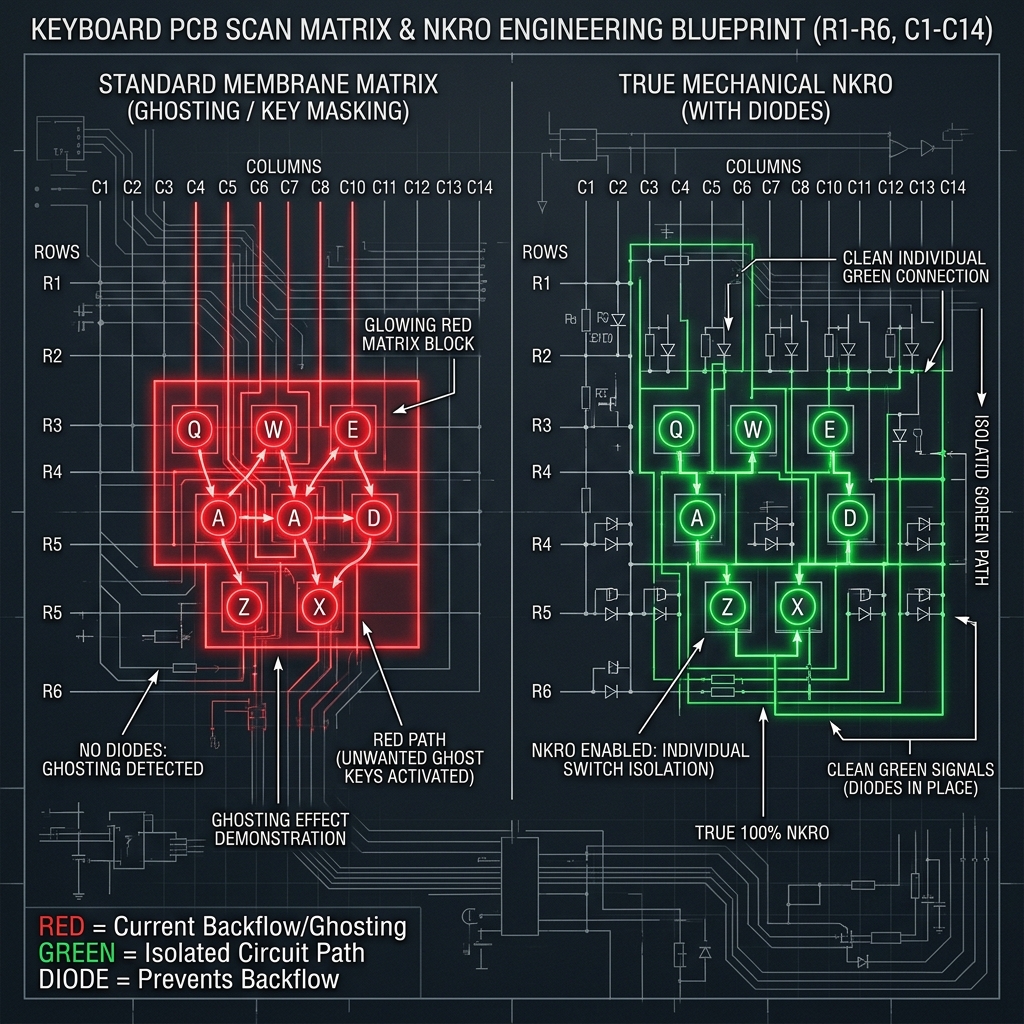
Most keyboards use a grid matrix. When you hold three or more keys that form a rectangle pattern, the controller can drop a key. This is called **Ghosting**.

Hold **W + A + Shift + Space** in our tool. If one key doesn't light up, your keyboard is ghosting. This can get you killed in FPS games when movement stops mid-jump.

If your ghosting looks fine but inputs still feel slow, you should test your input lag to measure actual hardware latency.

Side-by-side comparison of Keyboard Ghosting vs NKRO

Key Features of the Gaming Keyboard Tester

๐Ÿ›‘

Stuck Key Detection

Immediate visual color-coding for switches that are repeating or hardware-locked in the firing position.

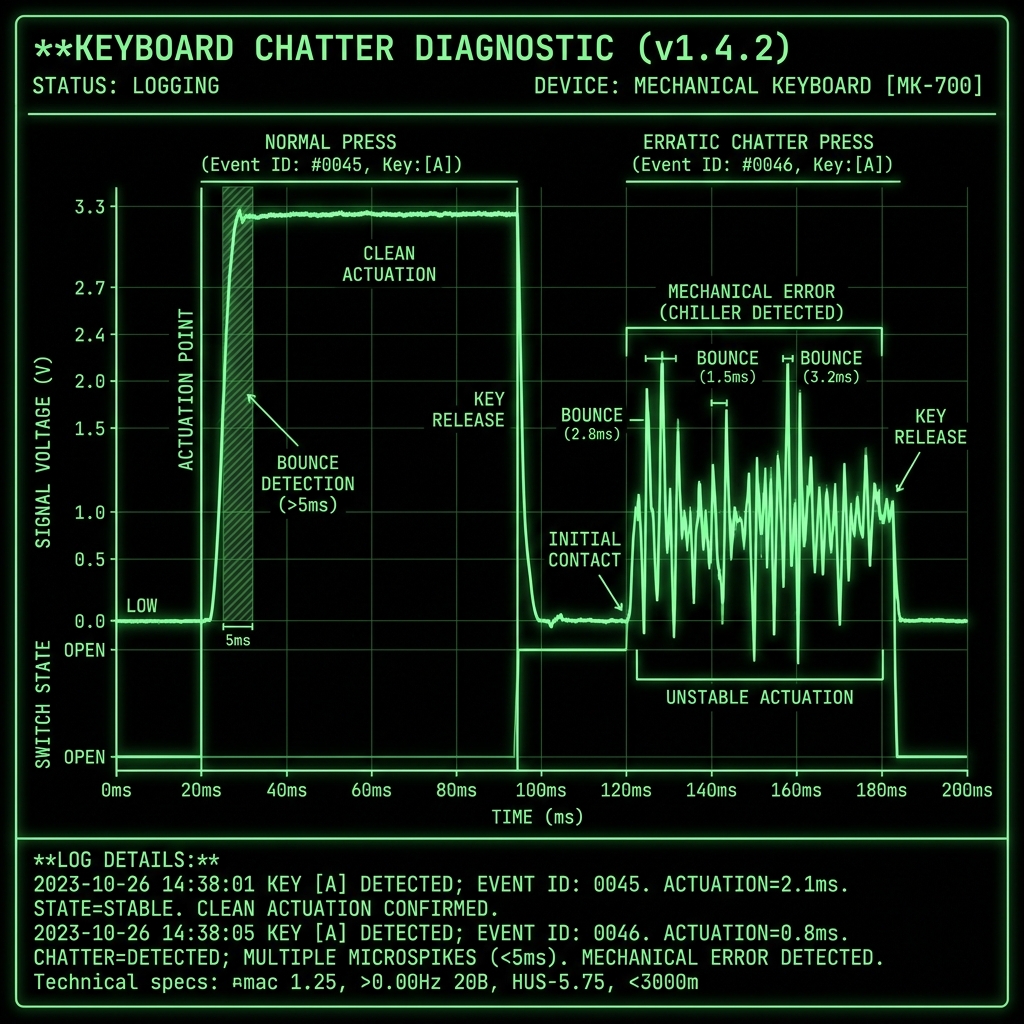
Keyboard Switch Chatter Signal Log
๐ŸŽฎ

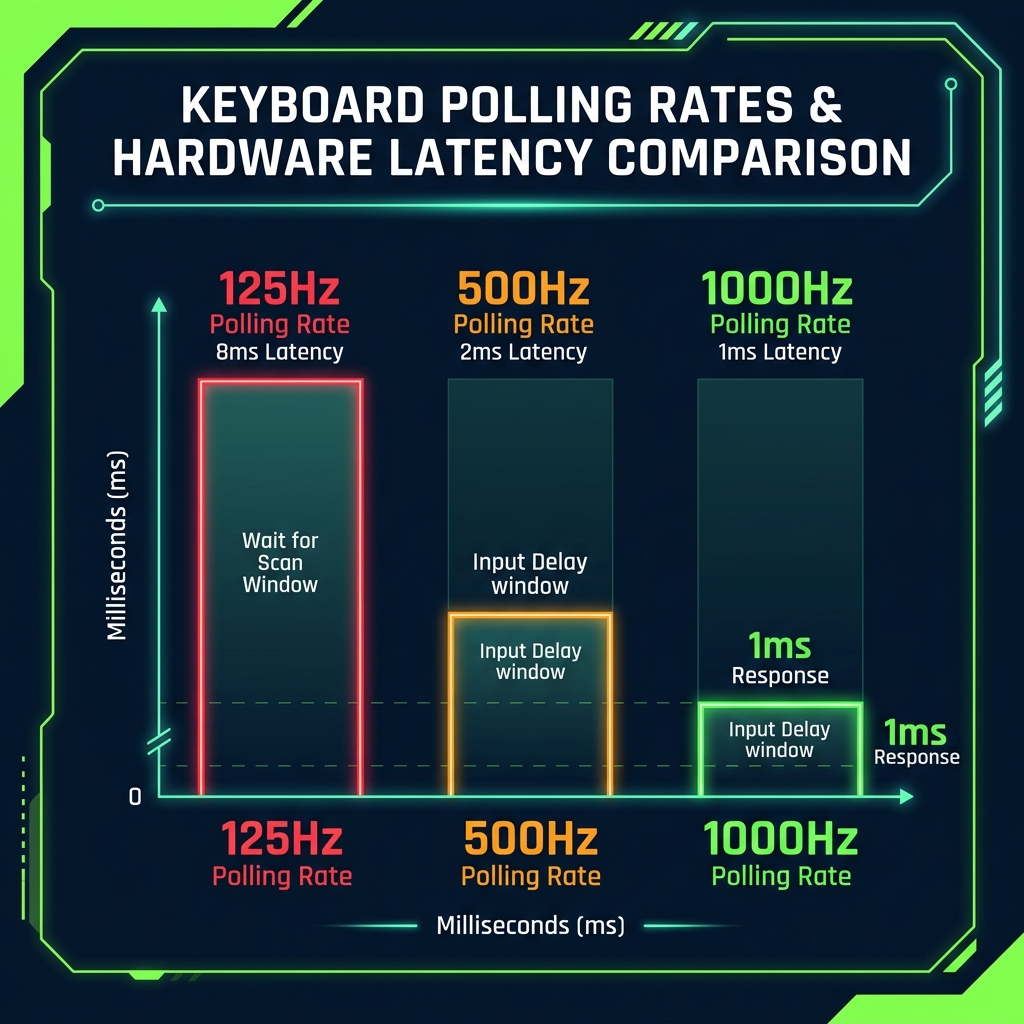
Polling Rate Benchmark

Monitor your Input Latency and Polling Rates to ensure zero-lag gaming performance.

Keyboard Polling Rate Latency Comparison
๐Ÿ›ก๏ธ

Matrix Visualizer

Hold multiple keys simultaneously to verify N-Key Rollover (NKRO) and ghosting limits.

Keyboard Scan Matrix Schematic

How to Fix a Keyboard That Fails the Test

Isolate the Cause

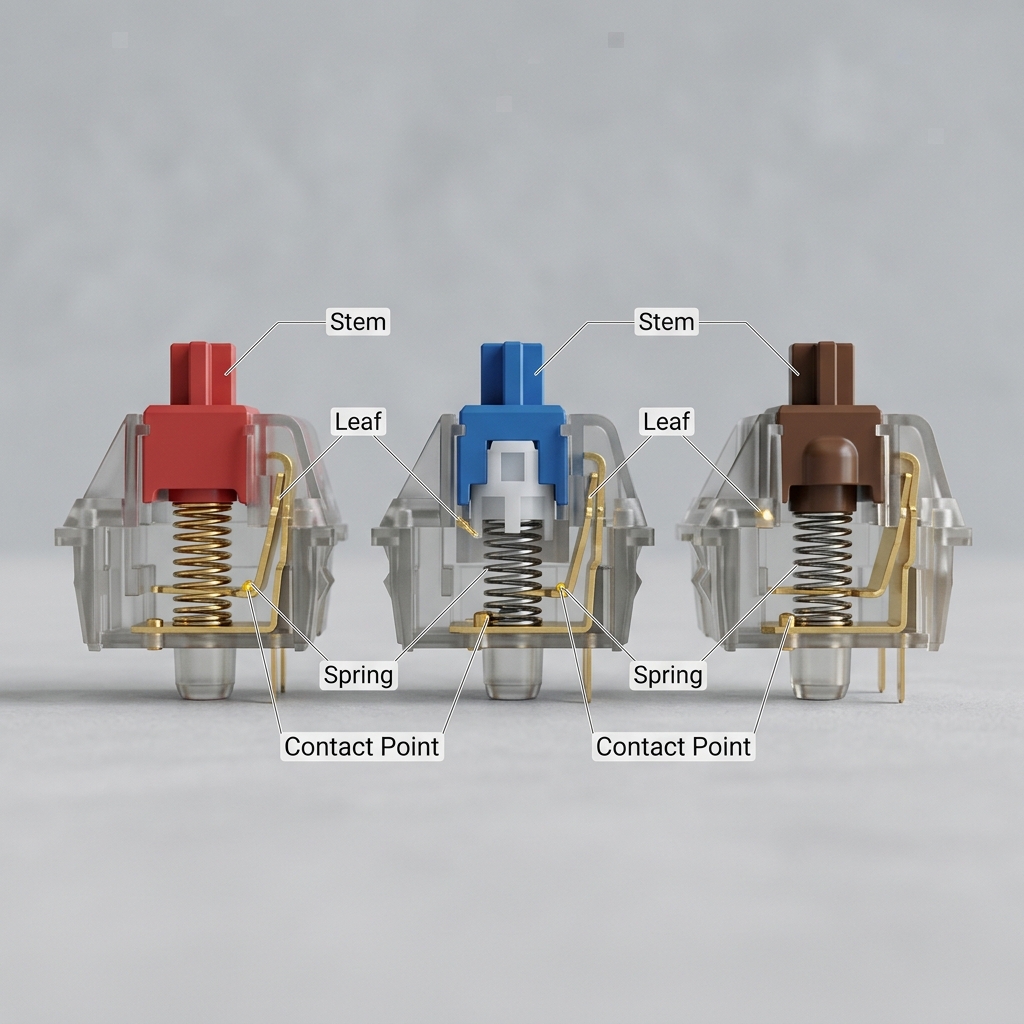
If it's a mechanical board, check for debris with compressed air or follow a guide from Cherry MX for proper cleaning and maintenance of mechanical switches.

For software issues, expand Keyboards in Device Manager, uninstall the driver, and restart. Windows will reinstall the standard HID driver automatically.

Console gamer too? Make sure to check your controller's deadzone to optimize your full peripheral setup.

Cross-section diagram of a mechanical keyboard switch

Who Should Run This Test?

Competitive gamers, typists, programmers, and hardware managers use this tool to verify hardware health. It's the standard for checking new keyboard baselines or testing used equipment before purchase.

โ“

Keyboard Test FAQ

Yes. The tool reads standard browser keyboard events, which are sent by every keyboard regardless of internal switch technology. Mechanical boards will generally perform better on simultaneous 'Ghosting' tests.

Some keys are intercepted at the OS-level (like Print Screen or Windows Key). For F-keys, try holding the 'Fn' button. If they don't light up but perform their function, they are working correctly.

A yellow key is a 'Stuck Key'โ€”it is sending repeating signals without being physically pressed. This usually points to debris in the switch or a mechanical failure requiring cleaning or replacement.

Hold multiple keys at once (e.g., W+A+Shift+Space). Check the 'Pressed now' counter. If you are holding 4 keys but only 3 are showing, your keyboard has hit its ghosting limit.

6KRO means you can press 6 keys at once. NKRO (N-Key Rollover) means every key on the board can register independently with no limit. Most gaming boards are NKRO.

No. All processing happens client-side in your browser. No data is ever uploaded to a server or saved in history. Privacy is 100% guaranteed.

This means your hardware is perfectly healthy! The problem is likely an in-game keybind conflict or a 'Steam Input' remapping issue. Check your game settings and disable keybind-modifying extensions.

Verify Every Keystroke.

Don't let a dead switch get you killed in-game. Join thousands of performance-focused users at mygamepadtester.com and verify your keyboard's health in seconds.