๐ŸŽฎ Controller Input Lag & Latency Tester

Professional-grade real-time hardware latency and polling rate analysis

๐Ÿ”Œ

Controller Disconnected

Connect your device via USB or Bluetooth. Rotate sticks or press buttons to wake.

Controller Input Lag Test โ€“ Monitor Polling Rate & Latency

Controller input lag is the hidden delay between the moment you physically press a button and when that action happens in your game. Even a few milliseconds (ms) of latency can be the difference between a headshot and a missed opportunity. This professional diagnostic terminal analyzes your hardware's polling rate to show exactly how fast you're performing.

Latency is cumulativeโ€”it travels from your controller hardware, through the USB/Bluetooth stack, into the CPU, and finally renders on your screen. By measuring the polling rate (Hz) and the average delay, you can identify if your current connection is tournament-ready or if you need an overclock.

Competitive players aim for sub-5ms latency. If your delay is fluctuating or high, it's time to troubleshoot your connection.

Ready to benchmark? Use our Input Lag Tester to get your milliseconds reading immediately.
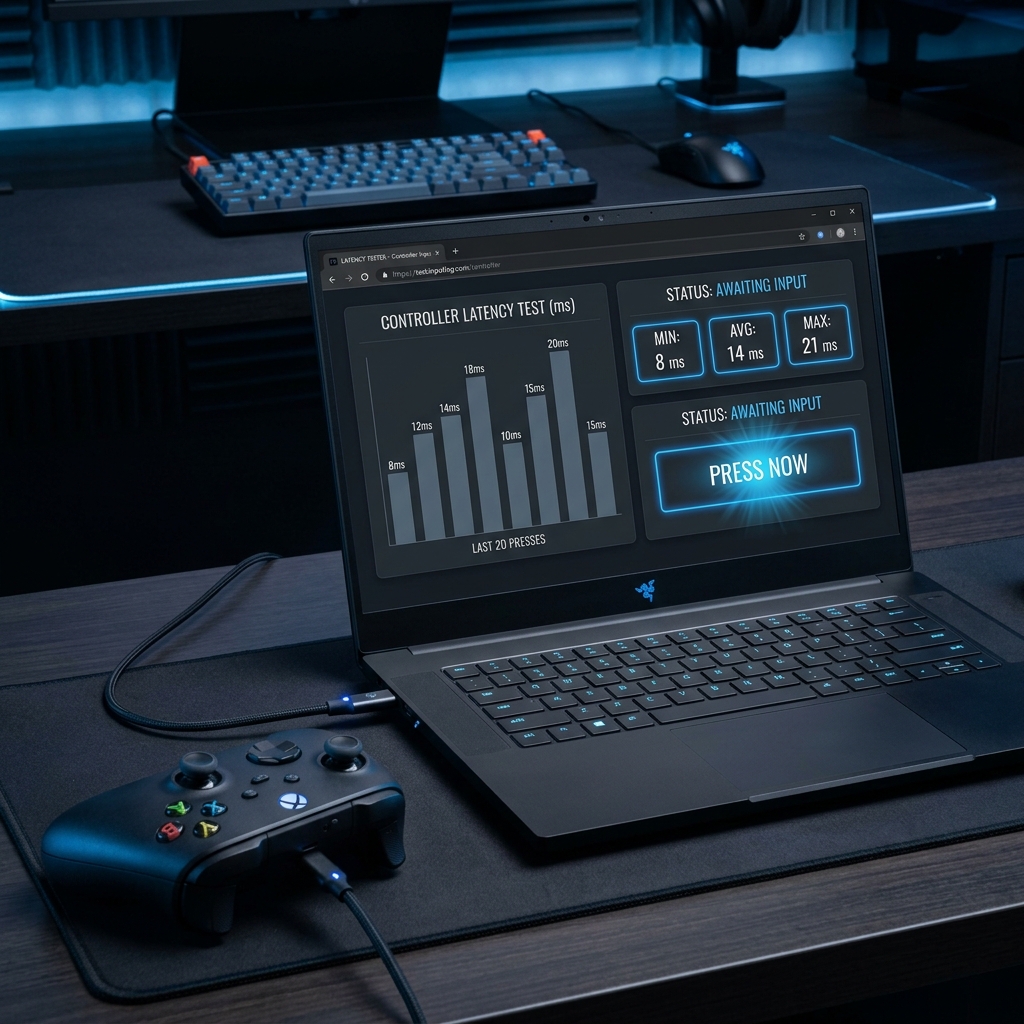
Professional controller input lag test dashboard showing milliseconds reading and polling rate graphs

How This Latency Test Works

Unlike simple reaction tests, our professional diagnostic terminal at mygamepadtester.com hooks directly into the browser's Gamepad API to measure the delta between every single hardware update sent by your controller.

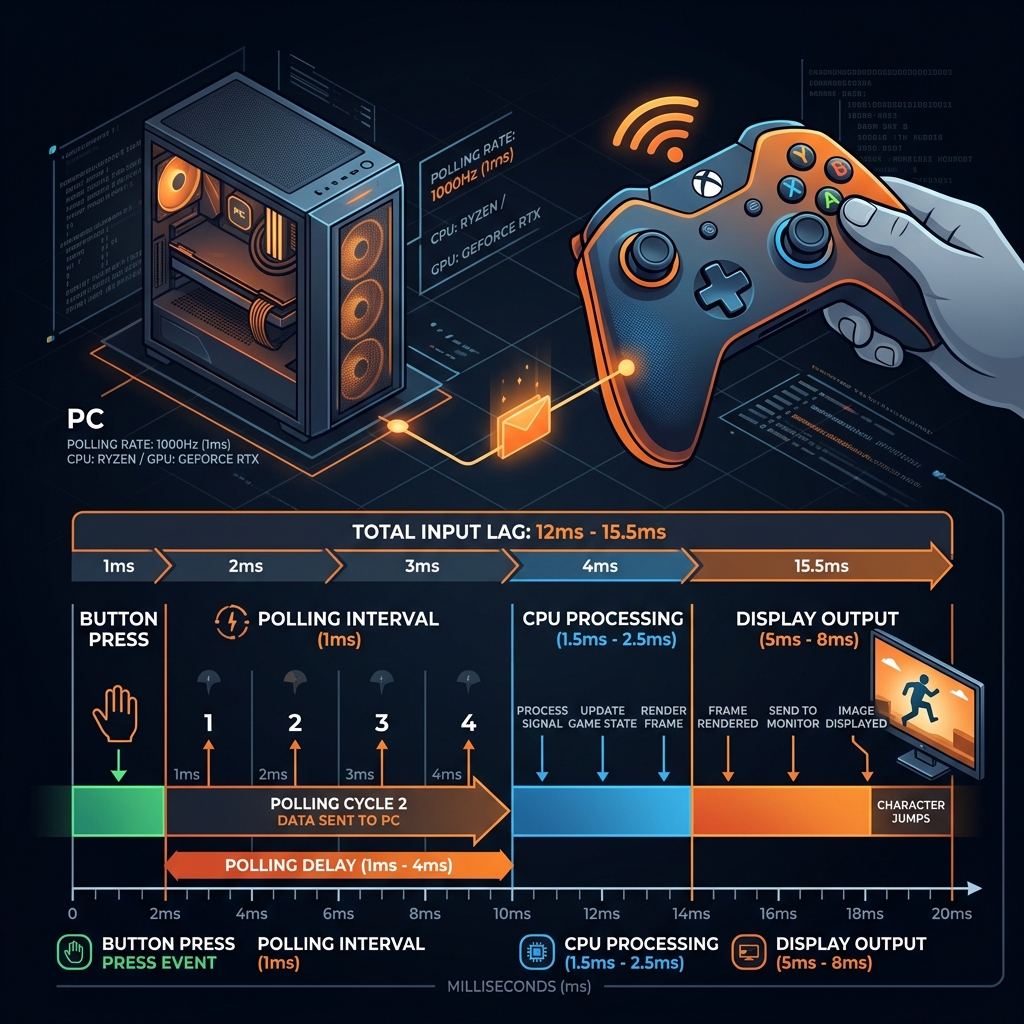
Technical diagram explaining polling rate and input lag concepts on mygamepadtester.com

The Polling Rate Pipeline

The Polling Rate (measured in Hertz, or Hz) is the frequency at which your computer checks for new inputs. A 125Hz controller polls every 8ms, while an overclocked 1000Hz controller polls every 1ms.

Our tool captures these raw signals and plots them in real-time. By rotating your analog sticks, you saturate the polling loop, allowing us to calculate your True Latency based on the fastest possible updates your controller can deliver. If you suspect hardware issues beyond lag, consider running our Stick Drift Test to check for potentiometer wear.

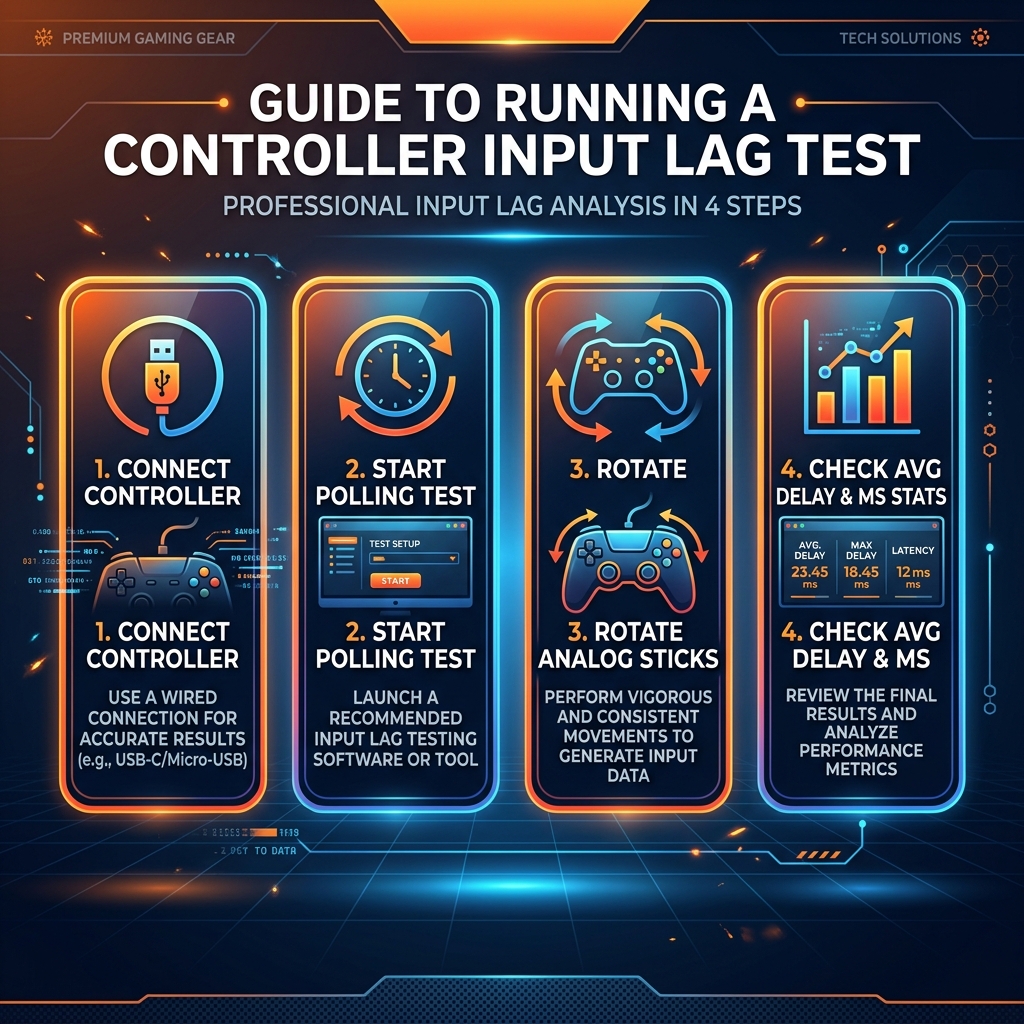
Step-by-Step Lag Testing

1

Connect & Authorize

Plug in your controller. Press any button to wake the browser API and select your device in the dropdown.

2

Saturate the Polling Loop

Select 'Polling Hz' and rotate both analog sticks vigorously. This forces the controller to send data at its maximum speed.

3

Check MS Benchmarks

Observe the 'AVG DELAY' readout. This is your baseline hardware latency. Compare it against our charts below.

4

Run the Reaction Test

Switch to 'Reaction Test' to measure the combined delay of your muscles, your hardware, and your screen.

Infographic for running an input lag test on mygamepadtester.com including connection and results checking

Latency Performance Benchmarks

Latency RangePerformance TierImpact on Gameplay
Under 1msElite CompetitivePossible with 1000Hz+ USB overclocking. Zero detectable delay.
1ms to 4msPro GradeStandard for wired DualSense/Xbox. Perfectly responsive.
8ms to 12msStandard / CasualNormal for 125Hz Bluetooth. Noticeable in high-speed titles.
Over 16msCritical LagInterference or legacy hardware. Significant disadvantage in shooters.

Common Causes of Controller Input Lag

๐Ÿ“ก

Wireless Interference

Bluetooth signals are easily disrupted by 2.4GHz Wi-Fi or other wireless devices, adding jitter and packet loss to your inputs.

๐Ÿ”Œ

Legacy Polling Rates

Many older controllers default to 125Hz (8ms). Modern titles benefit significantly from increasing this to 500Hz or beyond.

๐Ÿ’ป

Background CPU Load

If your CPU is at 100%, input processing takes a backseat, leading to spikes in latency during heavy combat or intense scenes.

๐Ÿ–ฅ๏ธ

Display Processing

Even if your controller is fast, a TV in 'Standard Mode' can add 50ms+ of display lag. Always use 'Game Mode'.

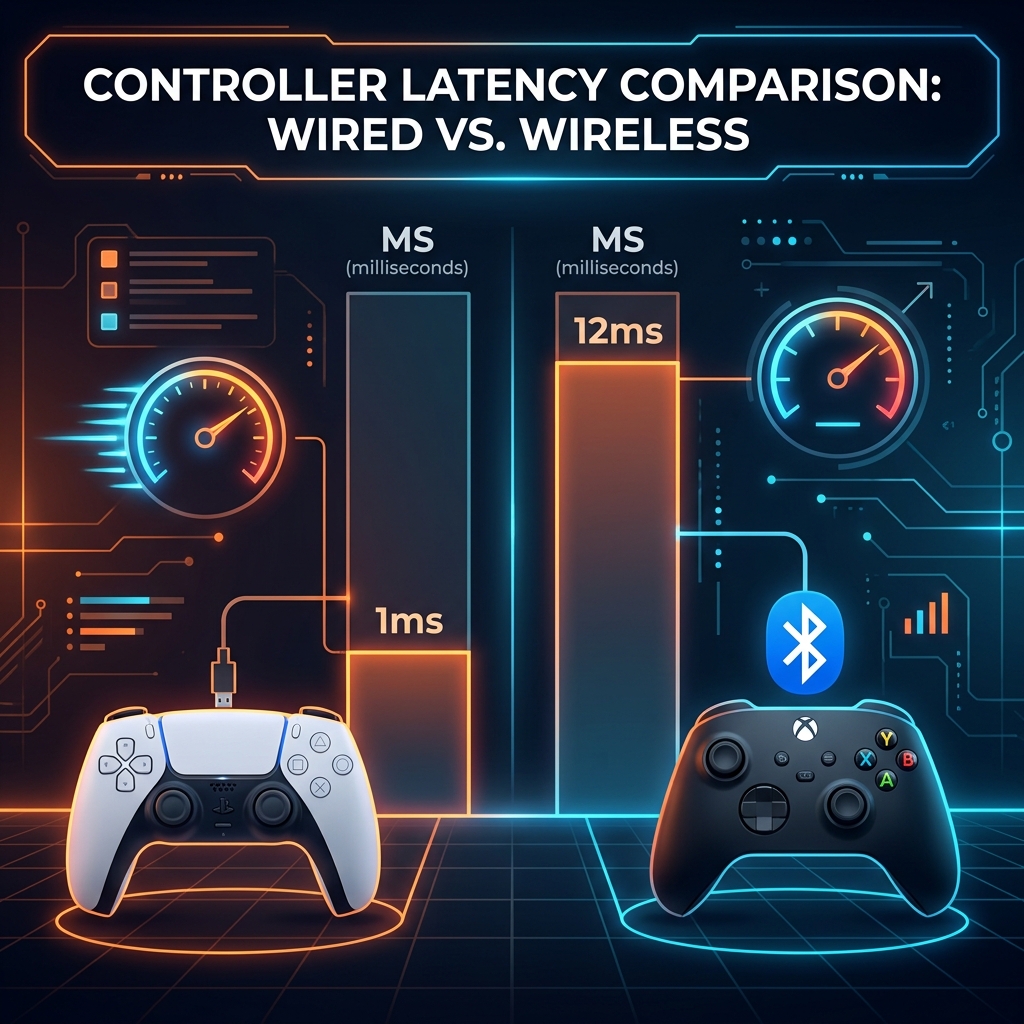
Bar chart comparing wired vs wireless controller latency on mygamepadtester.com

Wired vs. Wireless: The Truth

While modern Bluetooth 5.0 has improved significantly, a stable wired connection is still the gold standard for zero-jitter performance. Wireless connections can suffer from "polling drift," where the ms delay fluctuates wildly between inputs.

On PlayStation controllers, Bluetooth can actually achieve faster raw polling than default USB, but with higher potential for jitter. For Xbox, Microsoft's proprietary 2.4GHz adapter is recommended over standard Bluetooth if you want to stay wireless while minimizing lag.

Check both modes on mygamepadtester.com by switching between cable and Bluetooth to see the real difference yourself.

How to Reduce Input Lag on PC

1. Adjust Polling Rate

Use tools like HIDUSBF to overclock your USB port to 1000Hz (1ms). Follow guides on Blur Busters for optimal high-frequency input latency settings.

2. Focus Your App

Exclusive Fullscreen mode in games reduces OS processing time. Check RTINGS benchmarks to see how different hardware stacks up in professional tests.

3. Check Hardware Wear

Worn buttons or sticks can register "late" due to physical fatigue. If your buttons feel mushy, run a Button Test to check response curves.

For a full guide on optimizing your gaming setup, visit our gaming hardware guides.

Input Lag & Latency FAQ

Anything under 5ms is considered top-tier for competitive gaming. For casual games, 10-15ms is perfectly acceptable. Most professional esports players spend significant time optimizing their setups to stay in the 1ms to 2ms range.

Absolutely. DualSense controllers are capable of very high polling rates. Connect yours via USB, rotate the sticks, and you should see an average delay between 1ms and 4ms in Chrome or Edge.

Bluetooth is prone to interference. Try moving closer to your receiver, removing other wireless devices, or ensure your Bluetooth dongle is plugged into a USB 2.0 port (USB 3.0 ports are known to cause 2.4GHz interference).

Our tool at mygamepadtester.com uses high-precision performance.now() timestamps from the Gamepad API. While it can't account for display-specific lag (use a hardware device for that), it is extremely accurate for measuring electrical hardware latency from the controller to the OS.

Yes. By changing the USB descriptor's polling interval, you force the OS to check the controller more frequently. You can verify the jump from 125Hz to 1000Hz directly inside our monitor.

A high-quality data cable ensures a stable signal and prevents packet loss, but it won't inherently change the polling rate. However, generic 'charging' cables can cause intermittent disconnects or spikes in latency.

Latency is the average delay per packet. Jitter is the variance between those delays. A controller with 2ms latency but 10ms jitter will feel worse than a steady 4ms controller because the timing is inconsistent.

No. Input lag is from the controller to the PC. Monitor lag (Display Lag) is the time it takes for the pixels to light up. Total Lag (End-to-End) is the sum of both.

Optimize Your Response Time Today.

The first step to professional gaming is an optimized setup. Join thousands of users on mygamepadtester.com who benchmark their gear before every ranked session.