Before Buying/Selling
Test used controllers from marketplace before purchase or sale.
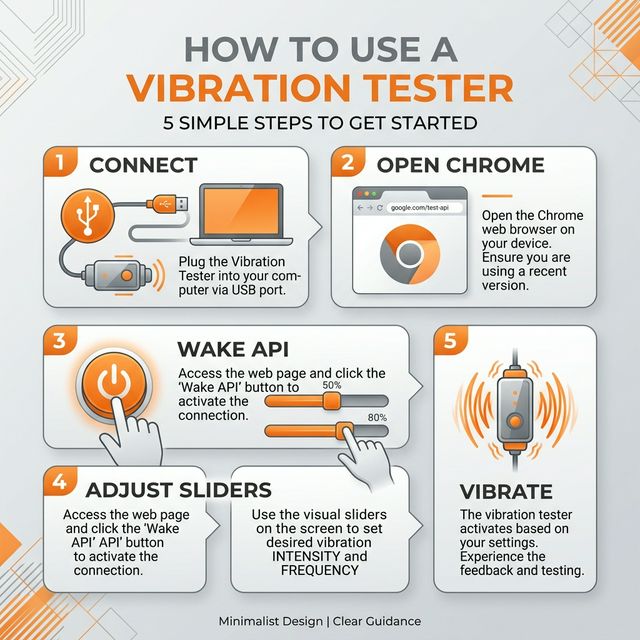
Connect via USB or Bluetooth
Press any button to activate
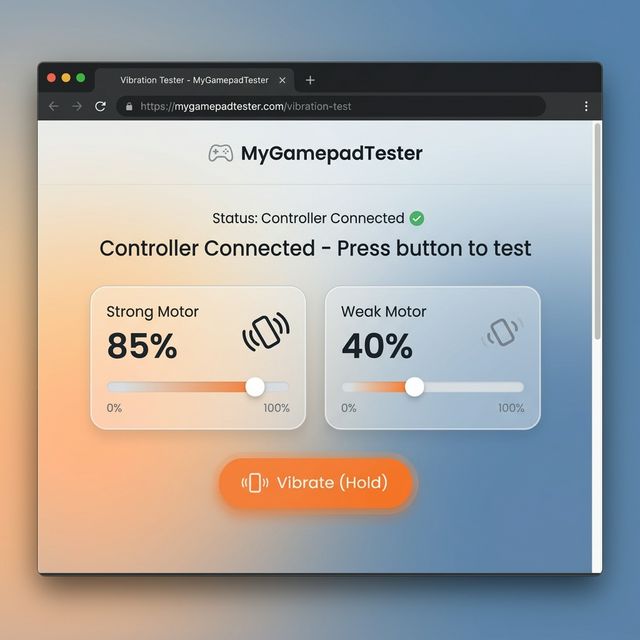
Test your controller's vibration motors directly in your browser. Check left/right rumble, HD haptics, adaptive triggers, and motor strength without installing any software.
Different platforms name rumble differently:
Test intensity and response of the strong/heavy rumble motor.
Test intensity and response of the weak/light rumble motor.
High-definition feedback testing for Switch & PS5 controllers.
Resistance motor testing for PS5 DualSense triggers.
Test rhythmic burst vibration and motor consistency.
Measure haptic response time in milliseconds.
Test used controllers from marketplace before purchase or sale.
Verify rumble motors work correctly after replacement or cleaning.
Check adaptive triggers and haptics after firmware changes.
Compare rumble strength and latency between connection types.
Check for weak motors or degradation on older controllers.
Verify custom or modified controllers function correctly.
| Issue | What It Means |
|---|---|
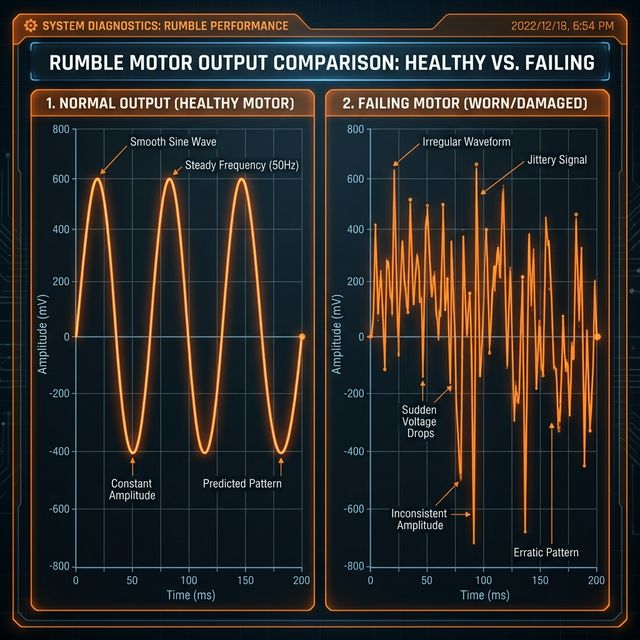
| Weak or failing motors | Motor wear from extended use |
| Asymmetric rumble (L vs R) | One motor degraded or damaged |
| No-response motors | Dead motor or connection failure |
| Delayed vibration output | Latency issue or firmware problem |
| HD haptics not working | Actuator failure or unsupported mode |
| Trigger feedback malfunction | Adaptive trigger motor issue |
| Step | Action |
|---|---|
| 1️⃣ | Connect your controller via USB or Bluetooth |
| 2️⃣ | Allow browser permission for vibration access |
| 3️⃣ | Choose motor mode (Left / Right / Both) |
| 4️⃣ | Adjust intensity or run automated test routines |
| 5️⃣ | Analyze vibration output and diagnostics |
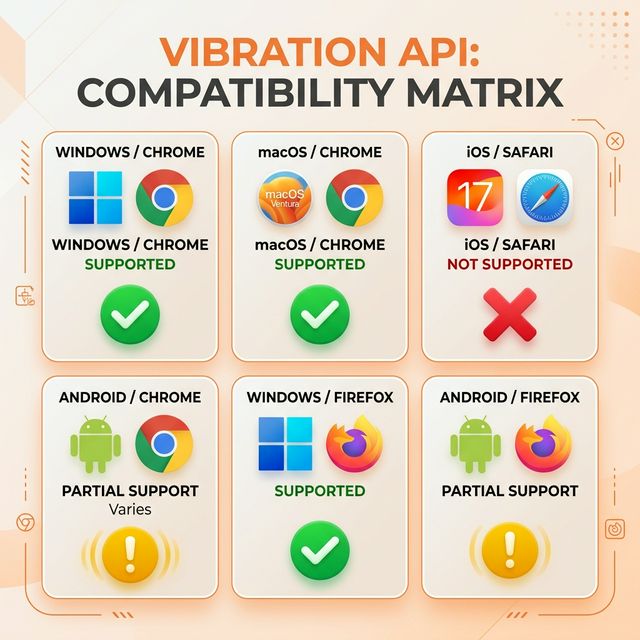
| Platform | Status |
|---|---|
| Windows | ✔ Fully supported |
| macOS | ✔ Fully supported |
| Linux | ✔ Fully supported |
| ChromeOS | ✔ Fully supported |
| Steam Deck | ✔ Works in browser mode |
| Android | ✔ Chrome/Edge supported |
| iOS/iPadOS | ⚠️ Limited (Safari restrictions) |
| Issue | Symptoms | Possible Cause |
|---|---|---|
| Motor Not Activating | No rumble at any intensity | Dead motor, loose connection |
| Weak Vibration | Rumble present but faint | Motor wear, low battery |
| Degraded Rumble | Inconsistent or scratchy feel | Motor bearing wear |
| Delayed Output | Noticeable lag before activation | Bluetooth latency, firmware |
| Trigger Rumble Failure | Impulse triggers not working | Motor failure (Xbox) |
| HD Haptics Not Responding | No fine haptic feedback | Actuator failure (Switch/PS5) |
| Asymmetric Vibration | One side stronger than other | Uneven motor wear |
| Battery-Related Drop | Vibration weakens over time | Low battery power |
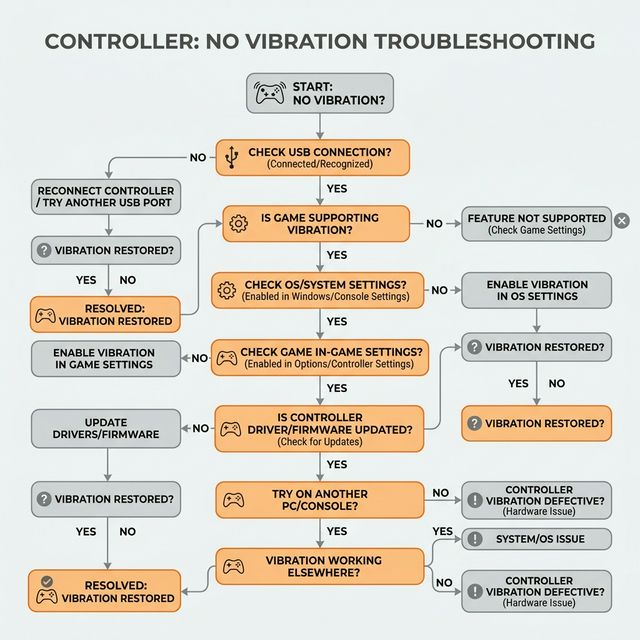
Try USB mode - Wired connection is more reliable than Bluetooth
Replace or charge batteries - Low power reduces vibration strength
Update firmware - PS5 and Xbox controllers need firmware updates
Enable vibration in OS settings - Windows/macOS may have it disabled
Reset your controller - Use the reset button (small hole on back)
Try a different browser - Chrome and Edge have best support
Run asymmetry test - Compare left vs right output
Check for debris - Dust can affect motor function
Test in multiple games - Some games only use one motor
Consider motor replacement - May need hardware repair
Check battery level - Vibration uses significant power
Run stress test - Check if motor degrades under load
Compare to known-good controller - Establish baseline
Clean motor contacts - Corrosion can reduce output
Yes. This tool uses the browser's Gamepad Haptics API to send real vibration commands to your controller. No software download needed.
The browser API supports basic dual-motor rumble on PS5. Full HD haptic patterns require native drivers, but you can still test motor strength and balance.
No. Modern browsers include built-in gamepad vibration support. Just connect and allow browser permission.
Yes. Both USB and Bluetooth connections support vibration. USB may have slightly lower latency.
Motor imbalance typically indicates wear. The left (strong) motor handles more load in most games, so it may degrade faster with heavy use.
Browser support for adaptive trigger haptics is limited. You can test basic trigger rumble on Xbox controllers. Full DualSense adaptive trigger testing requires native applications.
Yes. Use Desktop Mode and open this page in Chrome or Firefox. Steam Deck's built-in browser may have limitations.
Need to test stick drift? Use our Stick Drift Tester
Need calibration? Try our Joystick Calibration Tool
Test all inputs? Use our Controller Input Tester
No software required - just plug in and press any button.
Works on Chrome, Firefox, Edge, and Steam Deck browser.