🏹Analog Trigger Sensitivity Tester

Check 0-100% pressure range for L2/R2 & LT/RT inputs in real time.

Squeeze Triggers to Start...

🎮 Left Trigger (LT / L2)

Live Pressure
0.0%
Max Reach
0.0%
Raw Value
0.0000

đŸ•šī¸ Right Trigger (RT / R2)

Live Pressure
0.0%
Max Reach
0.0%
Raw Value
0.0000

What Is a Controller Trigger Test?

A controller trigger test checks whether your LT, RT, L2, and R2 inputs are reading the full 0 to 100 percent pressure range they are supposed to. You squeeze the trigger, and the tool at mygamepadtester.com shows you the exact analog value your controller is actually sending to the system.

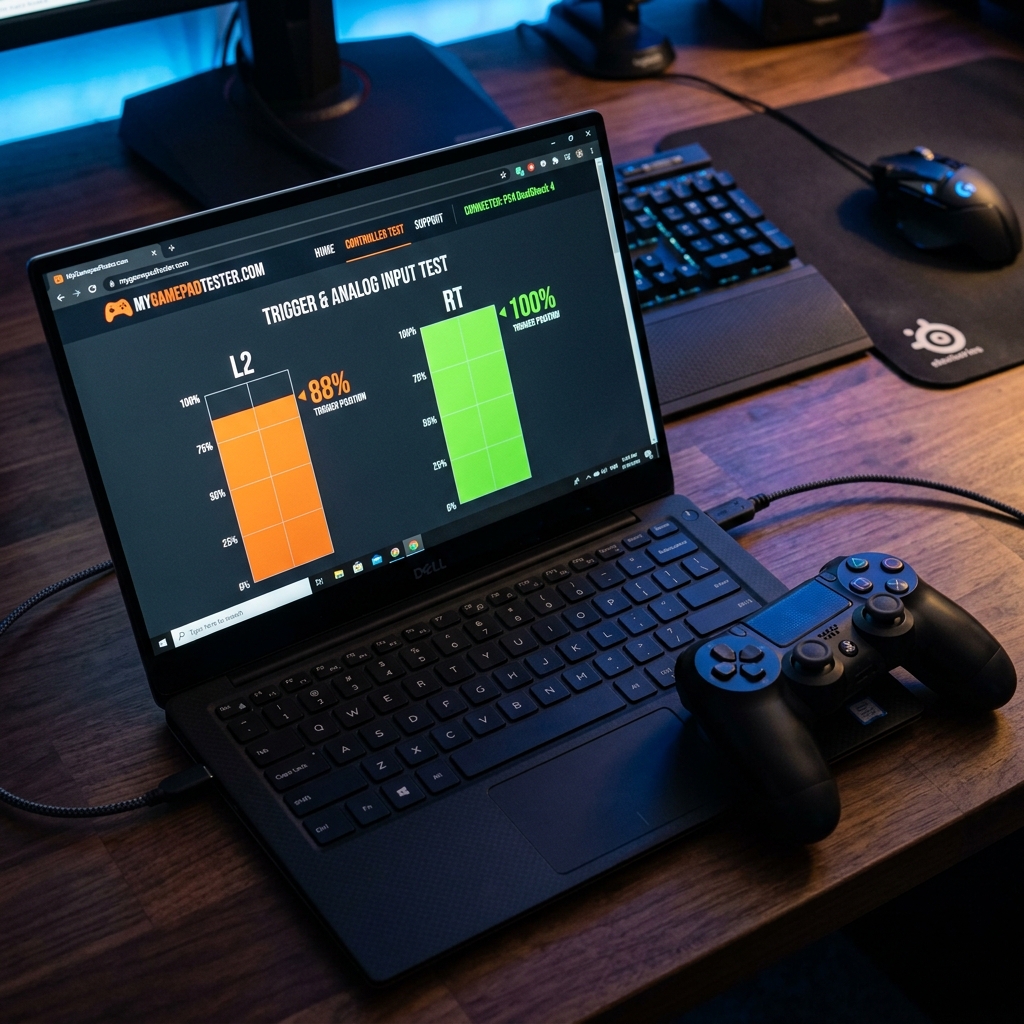
Most trigger problems are invisible in everyday gaming. A trigger that tops out at 88 percent feels completely normal until you try to hit full throttle in a racing game or fire a sniper rifle in a shooter. The gap between how a trigger feels and what it is actually sending is exactly what this tool diagnoses.

Most trigger problems are invisible until you look at the actual pressure numbers, and a two-minute test is all it takes to know exactly what your triggers are doing.

Ready to check your triggers? Use our free trigger test and see your pressure readings in seconds.

Controller trigger test interface on mygamepadtester.com showing L2 and RT pressure range comparison

How the Trigger Test Works

The tool reads your controller's data through the HTML5 Gamepad API, exposing each trigger as a separate axis reporting a value from 0.0 to 1.0. This is converted to a 0 to 100 percentage.

Analog Precision and Real-Time Polling

Live polling at roughly 60Hz gives you a per-frame sample of your trigger state. As you squeeze, the bar rises in real time. The tool shows the resting state (idle value) and the deadzone threshold (when it first registers above zero).

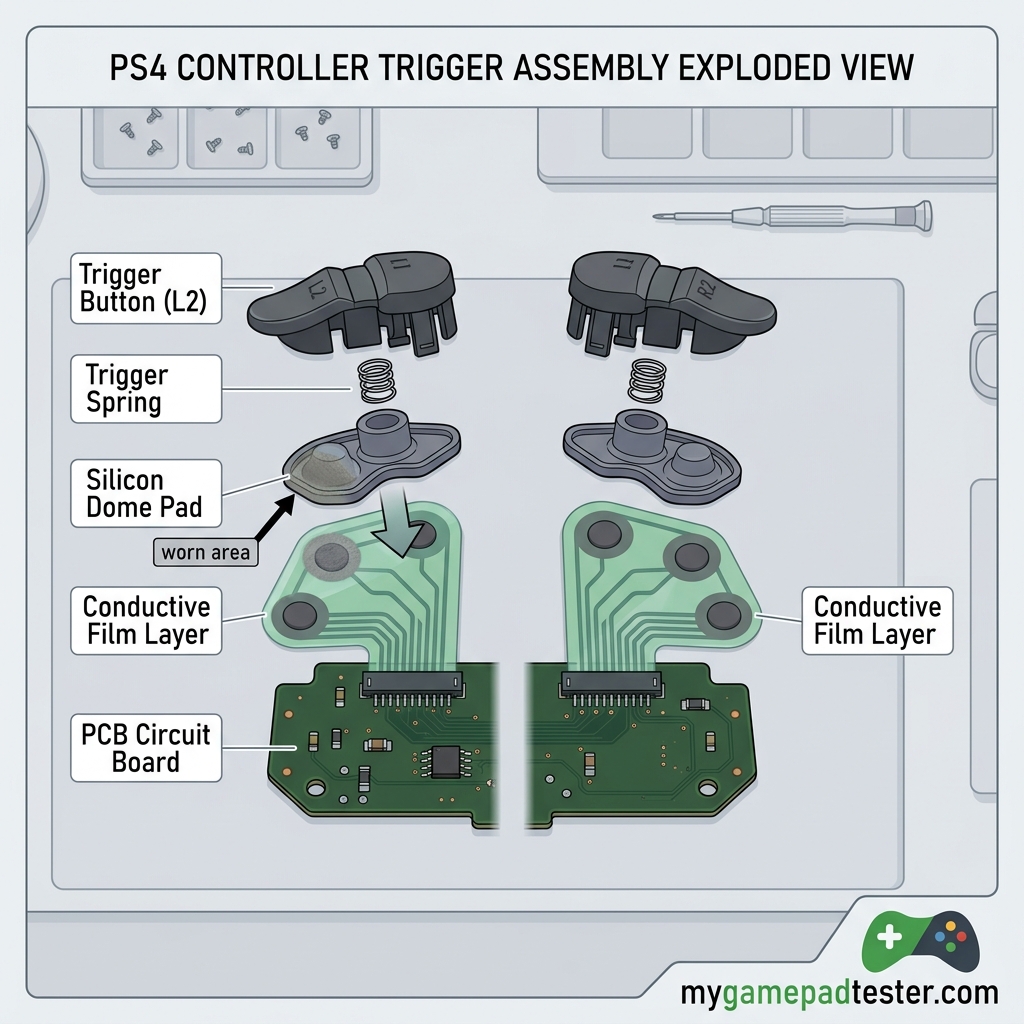
Consistent 0 to 100 readings mean your controller's internal potentiometer is healthy. If you see erratic spikes or a limited range, it's often a sign of worn silicon pads or conductive film displacement.

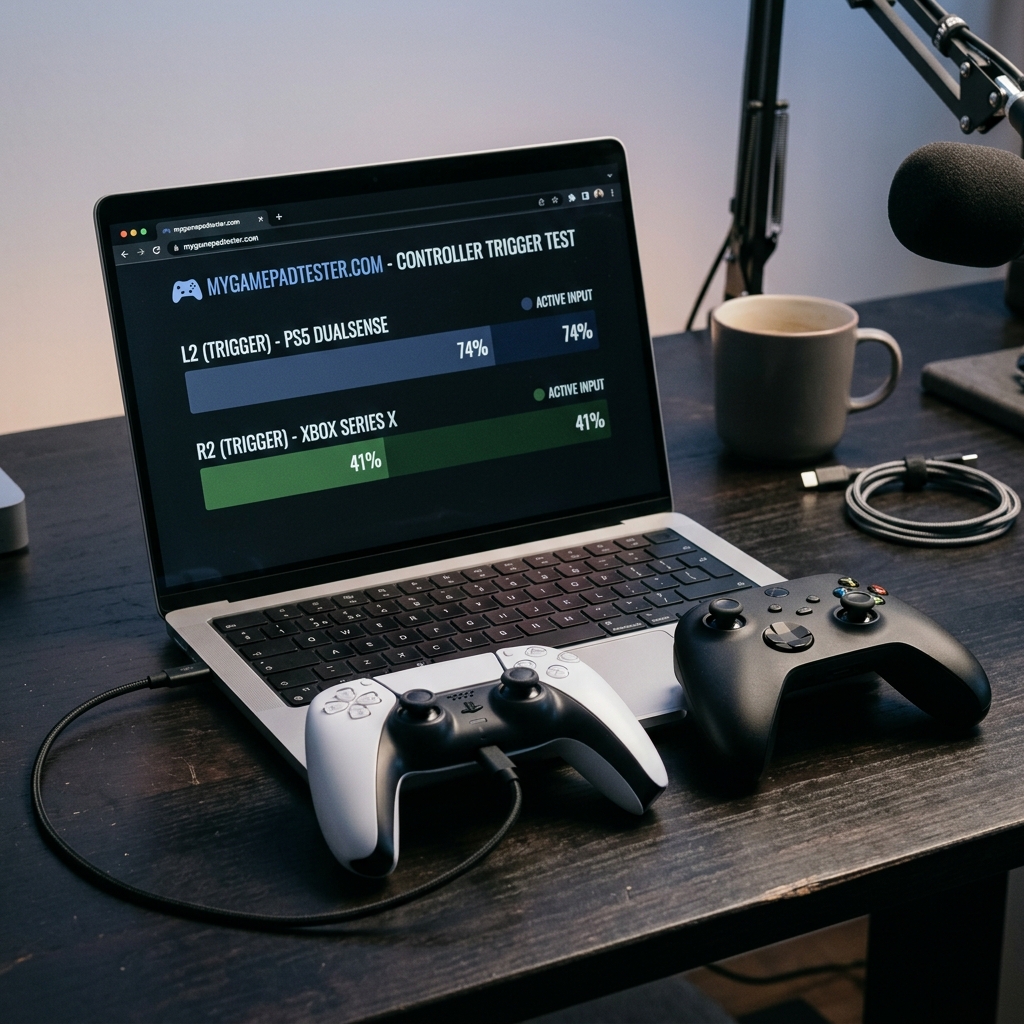
PS5 and Xbox controllers running a trigger test session in a browser on mygamepadtester.com

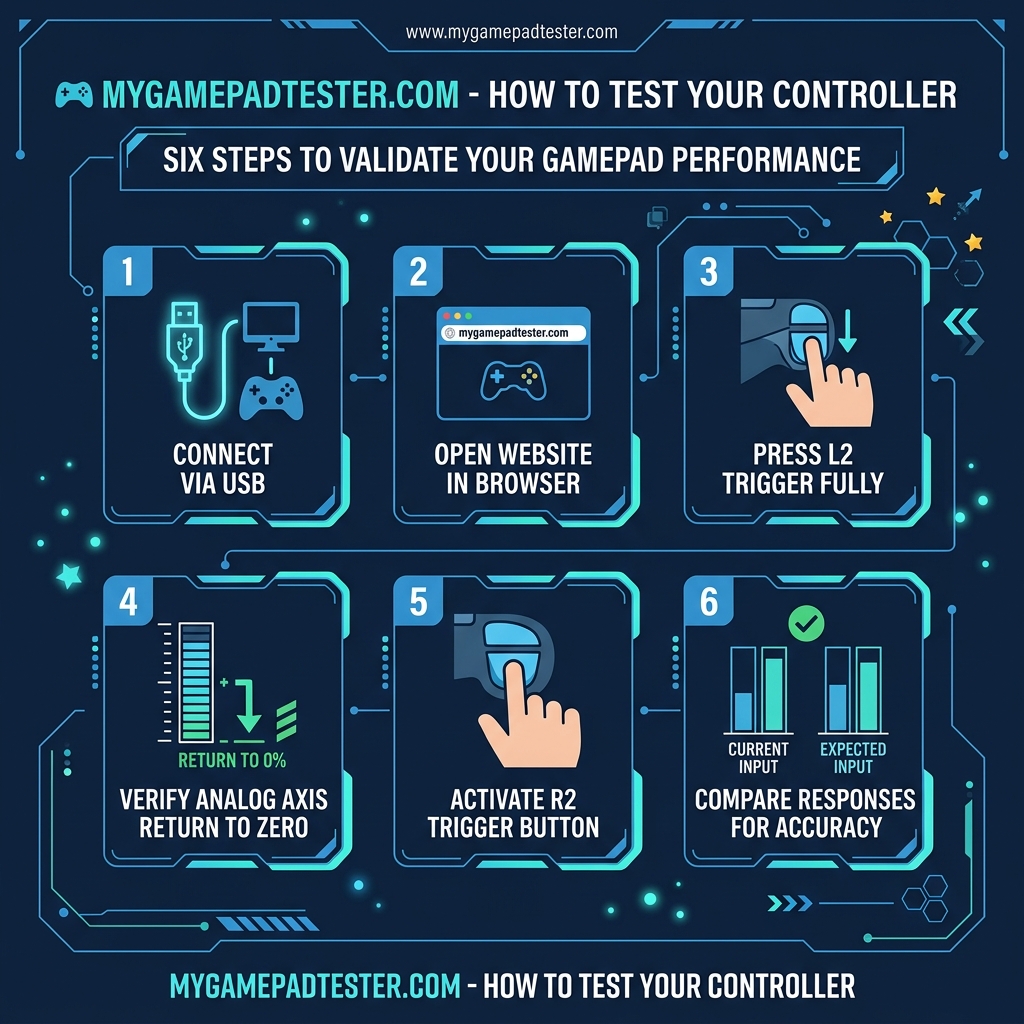
How to Use the Trigger Test: Step-by-Step

1

Connect & Wake Controller

Plug in via USB or pair via Bluetooth. Press any button to register your controller with mygamepadtester.com.

2

Squeeze Triggers Slowly

Note where the reading starts (deadzone point) and what value it reaches at full travel. Repeat for both sides.

3

Check Return to Zero

Release fully. A value that does not return to zero at rest indicates a ghost input or stuck trigger problem.

4

Compare Left and Right

A healthy pair of triggers shows similar ramp curves. If one stops at 90%, the sensor may be degrading.

Step-by-step infographic showing how to use the online trigger tester on mygamepadtester.com

Key Features of the Trigger Test

đŸ“ļ

0 to 100% Range

See exactly how much pressure is being registered. Crucial for racing games where 100% throttle is mandatory.

âš–ī¸

Simultaneous Testing

Both triggers are tested on separate channels at once to spot asymmetric wear between LT and RT.

đŸŽ¯

Deadzone Visibility

Detect precisely when your trigger activates. A small deadzone is normal; a large one indicates wear.

Reading Your Results: Common Failure Patterns

Compare your live readings against these three common patterns to diagnose whether you have a hardware problem or a software issue.

Diagram of trigger failure patterns including healthy full range vs stuck at 85 percent vs instant jump

Stuck Below 100%

Potentiometer or silicon node wear. The trigger won't reach full throttle in games. Requires hardware swap.

Instant 0 to 100

Trigger is behaving digitally. Lost analog resolution. Often a software config or severely worn node.

Ghost Activation

Resting value is above zero. Caused by displaced conductive film or debris. Cleaning often fixes this.

Technical diagram showing disassembled trigger internals with silicon pad and conductive film locations

Why Triggers Fail Electrically

The mechanical travel of your trigger can feel fine while the electrical range has narrowed. This is often due to the silicon pad inside the controller wearing down. As it loses height, the trigger press no longer reaches the full extent of the conductive film.

On older DS4 and Xbox controllers, this is a common wear item. If the trigger test at mygamepadtester.com confirms a limited range, a simple node replacement kit is usually the permanent fix.

Check your trigger dead zones in detail if you suspect the starting point is drifting.

Who Should Run This Test?

Racing game players and FPS fans get the most value from this test. A trigger that tops out at 85 percent will prevent you from reaching top speeds or firing certain precision weapons. Repair shops also use this tool to document controller health before and after service.

Competitive players should also measure their controller's full response time along with trigger health for a complete competitive diagnostic.

Trigger Test FAQ

Yes. The tool supports any controller that uses XInput (Xbox) or HID protocols (PlayStation, Nintendo Pro). Press any button to wake the controller inside your browser.

It means the internal silicon pad has worn down. Electrically, the trigger's range has narrowed. This will cause failures in games requiring full trigger input (e.g., full throttle).

Yes. If your trigger shows a resting value above zero when untouched, you have a ghost input. This is often caused by debris or displaced conductive film.

It is 100% free and runs entirely in your browser at mygamepadtester.com. No downloads or registration required.

Games apply their own deadzones and response curves. Our test shows the raw signal from the hardware before any software modifications occur.

No. Adaptive haptic resistance zones are restricted to official APIs. We test the analog pressure sensors which report the 0 to 100 travel.

For a hardware fix, replace the internal silicon pad. Temporary software fixes include adjusting the 'Trigger Range End' in Steam Input settings.

Wired USB is recommended for the most consistent readings, as Bluetooth can introduce slight jitter in axis values.

Restore Your Precision Today.

Don't let worn triggers ruin your racing line or your firing rate. Join the gaming community at mygamepadtester.com and get a professional diagnostic report in seconds.