đŸ–ąī¸Gaming Mouse Diagnostic

Check button registration, scroll behavior, and Omron switch bounce errors in real-time.

Clicks / Sec
0
AVG SPEED
Gap (ms)
0
FASTEST PK
Double Clicks
0
BOUNCE ERRORS
Mouse Model
FOR GLOBAL STATS
Awaiting click events...

Gaming Mouse Test: Check Every Button in Your Browser

What Is a Gaming Mouse Test?

A gaming mouse test is a free, browser-based tool that checks whether every button, scroll wheel, and side button on your mouse is registering correctly.

The tool captures left clicks, right clicks, middle buttons, and side buttons (4 & 5) in real time. It allows you to diagnose malfunctioning switches or Omron double-click failures without downloading any software.

Don't rely on "feel". Use our Online Mouse Tester and get an objective measurement for every click and scroll step.

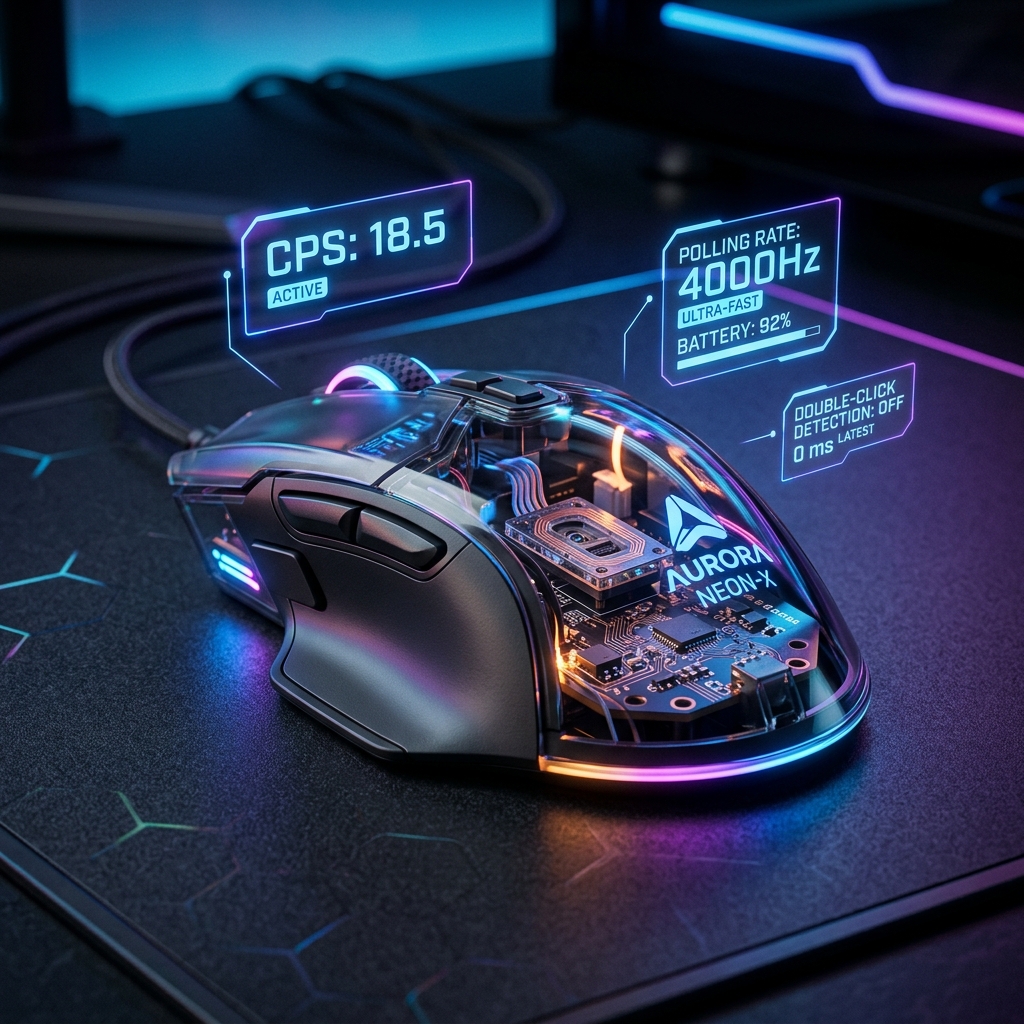
High-end gaming mouse with holographic diagnostic UI

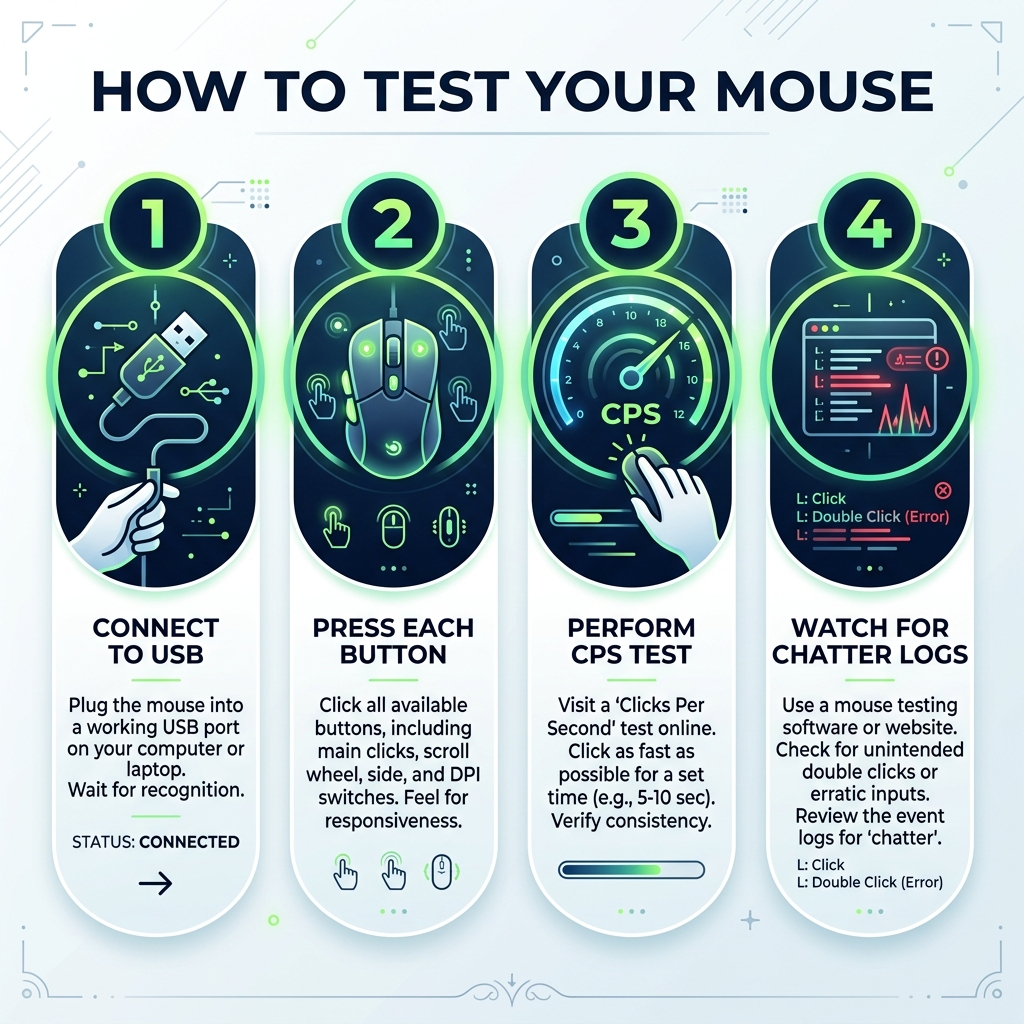
How to Use the Mouse Test: Step-by-Step

Testing your mouse at mygamepadtester.com takes under a minute. Follow these steps for a full switch diagnostic.

1

Click Main Buttons

Click your left, right, and middle buttons. The corresponding area on the on-screen mouse will light up green.

2

Test Side Buttons

Press Button 4 and Button 5. Our tool prevents the browser from navigating back, so you can test side buttons safely.

3

Scroll Wheel Scan

Rotate the wheel up and down. Watch the arrows in the center of the UI to confirm the scroll encoder is tracking properly.

4

Double-Click Check

Rapidly click your left button. If a single physical press adds two counts to the log, your switch is failing.

Step-by-step mouse testing infographic

Why Double-Clicking Is a Hardware Problem

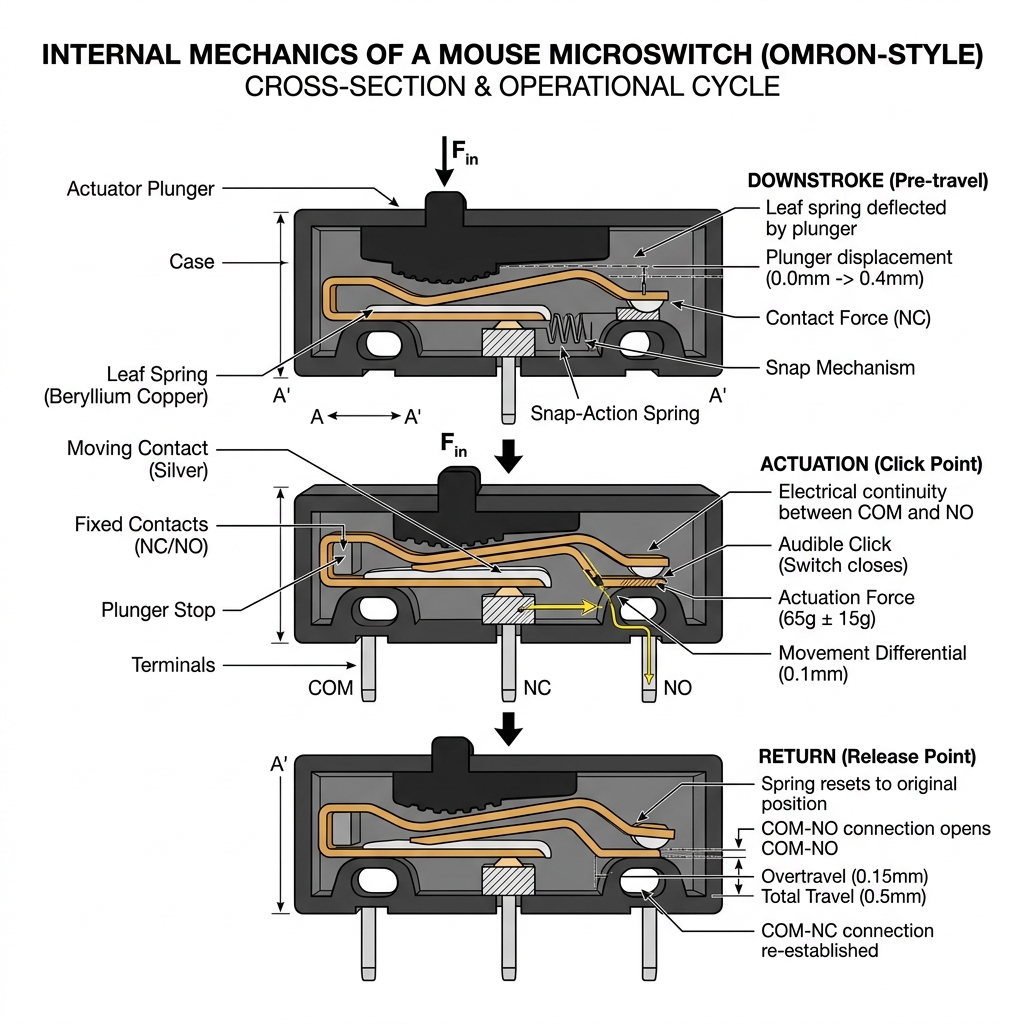
Microswitch Wear

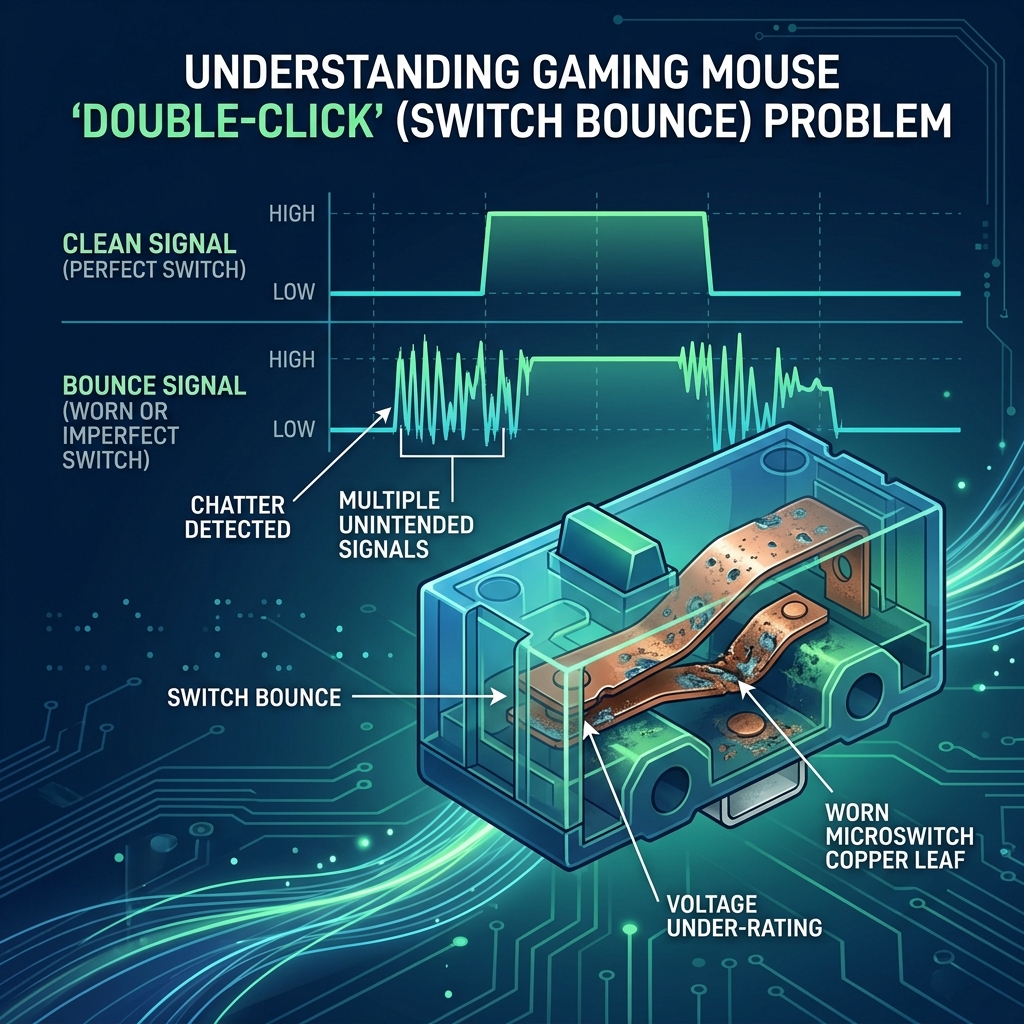
Most gaming mice use Omron or Huano microswitches. Over time, the internal spring mechanism degrades, causing "bounce" errors where a single click generates two electrical signals.

If you see intervals under 10ms in the event log during normal clicks, this is a confirmed "bounce" issue. This is a physical problem that software settings cannot permanently fix.

Suspect your latency is also high? You can test your input lag to measure actual total response time.

Omron vs. Optical

Newer mice use Optical Switches which use a beam of light to register clicks. These have NO moving contacts and are physically immune to the double-click problem.

đŸŒŠī¸

Key Features of the Gaming Mouse Test

âąī¸

CPS Counter

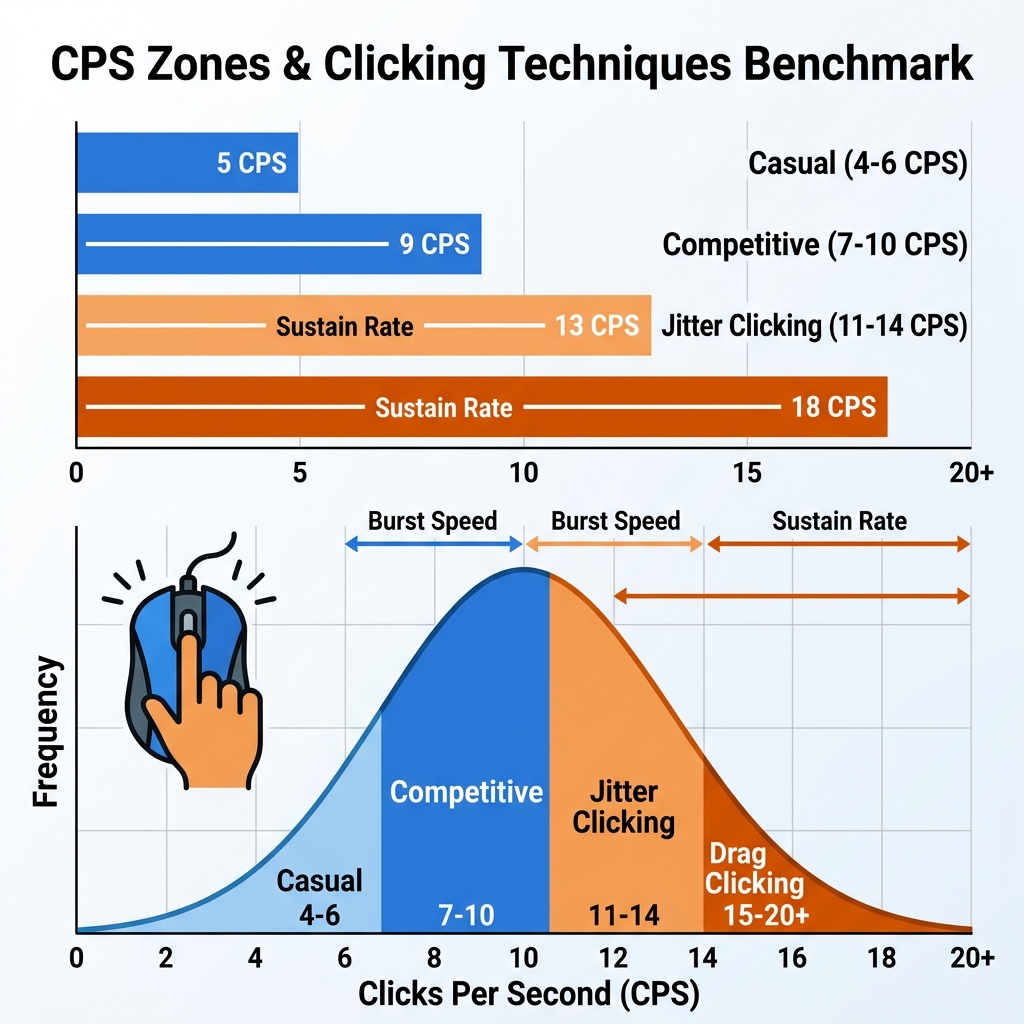
Measure your Clicks Per Second over 1s, 5s, or 10s intervals to benchmark your burst and sustain speed.

CPS Speed Benchmark Zones
đŸ›Ąī¸

Bounce Detection

Detailed interval logging to catch accidental double-clicks caused by switch degradation or debris.

Mouse Switch Chatter Waveform
🔄

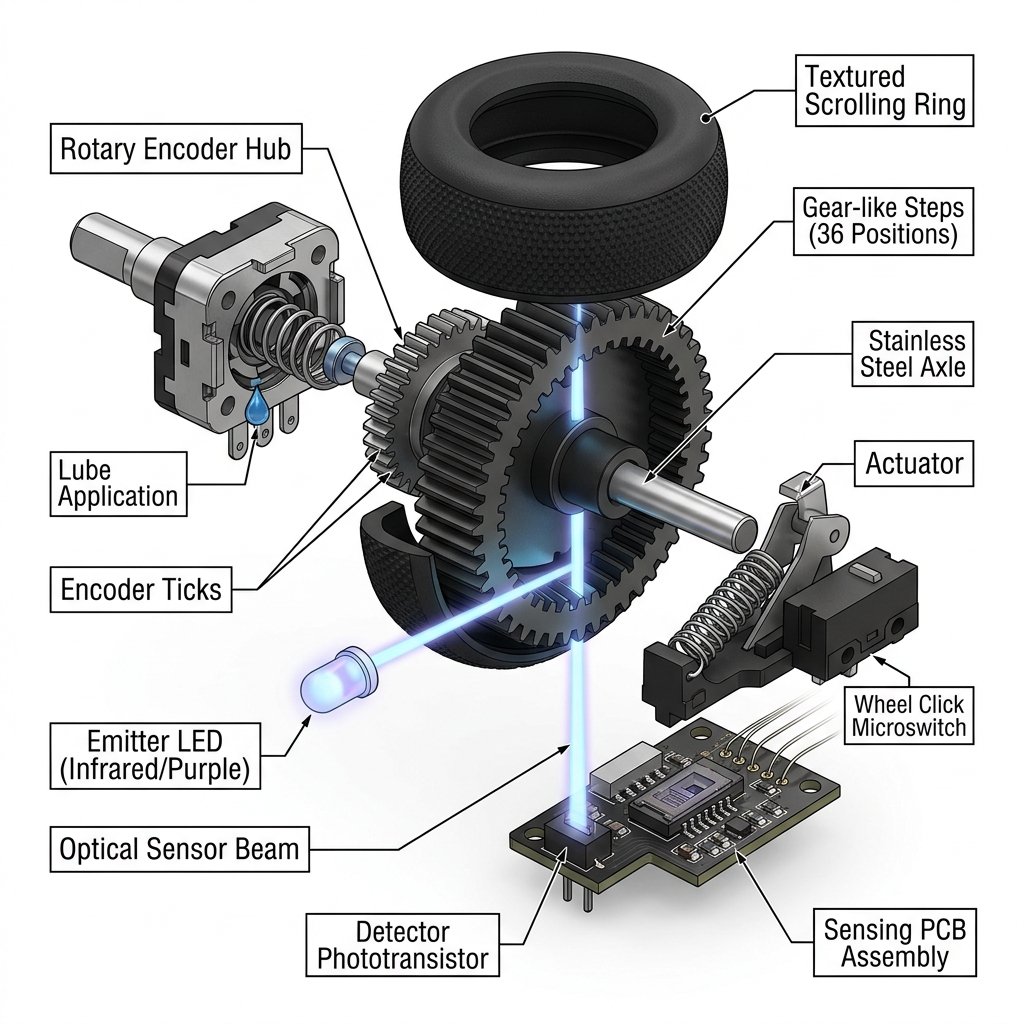
Scroll Encoder Test

Verify that your scroll wheel isn't jumping, stuttering, or failing to register specific scroll steps.

Mouse Scroll Encoder Internals

How to Fix a Mouse That Fails the Test

Isolate Hardware

First, try a different USB port to rule out connection jitter. For wireless mice, reseat the receiver and ensure the battery is charged.

For double-clicking, you can try raising the Debounce Time in your mouse companion software (like Logitech G Hub or Razer Synapse) to 12ms to "mask" the extra signal.

Full-setup check? Don't forget to run the Keyboard Test to ensure your keys are just as reliable as your clicks.

Mouse microswitch registration and actuation cycle diagram

Who Should Run This Test?

Competitive FPS and MOBA players use this tool as part of their routine pre-match hardware check. It is the gold standard for checking used mice before purchase and verifying after-repair results.

❓

Mouse Test FAQ

Yes. Both Bluetooth and 2.4GHz wireless mice are fully supported. If your mouse seems laggy, try connecting the receiver to a different USB port to rule out interference.

If the counter increments twice for one press, or the log shows a <10ms interval, you have a mechanical bounce error. This is a sign of switch wear and usually requires a hardware replacement or a software 'Debounce' adjustment.

Ensure you are using an updated version of Chrome or Firefox. Some older browsers don't support captured events for side buttons 4 and 5. If it still fails in a modern browser, the button itself is likely dead.

Our tool focuses on button registration and latency. Testing exact DPI (Dots Per Inch) requires specialized software or a manual measurement tool, as browsers do not receive raw DPI data.

The average gamer clicks between 4-7 times per second (CPS). Pro players often hit 10+ CPS. If your CPS is under 2, your mouse may have a very high 'ignore' filter or a hardware delay.

No. All analytic processing happens on your local device within the browser. We do not upload your click patterns or timing data to any server. Your privacy is total.

This means your hardware is perfectly healthy! The 'lag' you feel is likely caused by in-game settings (V-Sync), low frame rates, or network latency rather than the mouse itself.

Don't Guess Your Performance.

Join the pros at mygamepadtester.com and verify every switch on your mouse in seconds. Zero downloads, total precision.